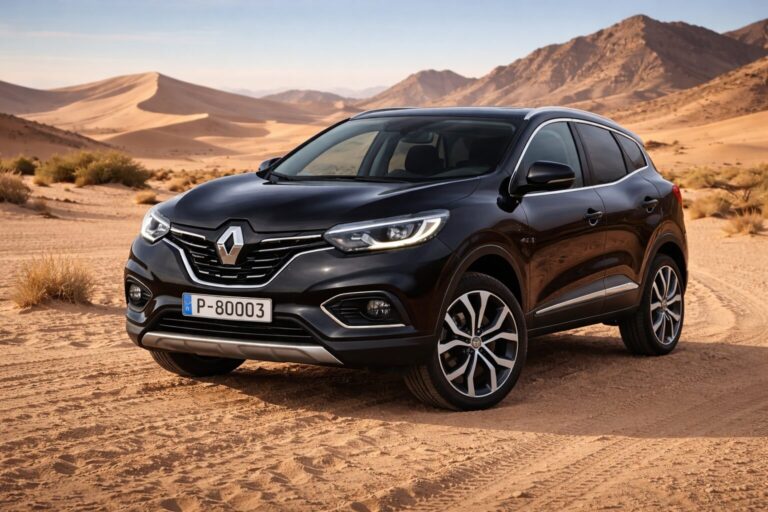
R-Link infotainment faults are common in the Renault Kadjar because the software freezes, an update fails, or the connection between the phone and the system does not work properly. A restart or a suitable update may help. If the screen stays black after a firmware change, reprogramming by a specialist is the wiser choice. Even in later Kadjars, for example models produced after the facelift, the installed software version is more important than the year of manufacture alone. First check exactly which functions are failing. That way, you can avoid an incorrect repair.
Why does R-Link crash in the Renault Kadjar?
The first-generation Renault Kadjar has been supplied with R-Link 2 since 2015. The system can start slowly, freeze during a journey or show a black screen after starting. Sometimes the radio keeps working while the touchscreen does not respond. If the USB port, reversing camera or parking sensors also stop working, there is probably more going on than just a frozen screen.
R-Link 2 consists of several software branches. Older Kadjars may have a version from the 2.x or 3.x series. A firmware file must match the main unit, the bootloader and the Micom configuration. The bootloader starts the software. The Micom configuration contains settings for the car’s functions. A file for another R-Link 2 unit may therefore appear to install successfully, yet still disable functions.
Not every fault is caused by firmware. If a smartphone connects but gives no sound, the problem may lie with Bluetooth compatibility or sound settings. If calls through Apple CarPlay over USB work, the speakers and microphone are not immediately the main suspects. If only music streaming fails, test a second phone before having the R-Link unit replaced.
The complaint determines where you start
First note whether the fault occurs after a cold start, begins while driving, or appeared immediately after an update. Then check the functions individually. The differences help when looking for the cause:
- Black screen, but the radio works: first try a normal restart and check whether the screen fails again.
- Screen only starts after a few minutes: note how long this takes across several starts and check the software version.
- Bluetooth pairs, but calls have no sound: test calls and music with a second phone and compare the result with CarPlay.
- Camera and parking sensors do not work after an update: stop trying new firmware and have the configuration checked.
- R-Link Store or connected services do not connect: check the date, time, account and the status of the vehicle services.
A black screen does not automatically mean the display is faulty. Also pay attention to the steering wheel controls, USB power supply and parking systems. If several functions fail at the same time, the garage should check the main unit, power supply and software configuration as well as the screen.
How do you update R-Link software in a Kadjar?
Do not start with a firmware file from a forum. According to Renault’s official update procedure, you must check which update is available for the vehicle identification number, or VIN. This matters because the name R-Link 2 tells you nothing about the exact hardware version in your Kadjar. A map update is also not the same as moving to a different software generation.
For a safe update, these are the steps:
- Take photos of the current system and map version. Also note the year of manufacture and the symptoms.
- Check via Renault’s official environment which update is offered for the VIN.
- Prepare an empty, reliable USB stick according to the accompanying instructions.
- Carry out the update with a stable power supply. Do not interrupt the process and remove the USB stick only when the system indicates that you may.
- Afterwards, test the radio, navigation, USB, Bluetooth, reversing camera and parking sensors separately.
Large jumps between software versions deserve particular attention. Older systems may have version 2.2.15.703, while version 8.0.32.51 belongs to a different software branch. Comparing version numbers alone is not enough: the bootloader and Micom configuration must also be suitable. Have a desired move to another software branch assessed by a Renault specialist rather than skipping versions yourself.
What can you fix yourself without changing the firmware?
If a screen freezes once, a normal restart is the first step. Hold the R-Link on/off button down for a few seconds until the system restarts. Then check whether the complaint returns. A restart is different from a factory reset: normally, paired devices and preferences are retained.
For Bluetooth complaints, you can remove the existing pairing on both sides. Delete the Kadjar from the phone and the phone from R-Link, restart both and pair them while the car is stationary. Test calls and music streaming separately. If a second phone works without problems, check the settings and software of the first phone before having work done on the car.
A factory reset is only the next step if restarting and pairing again do not help. You will lose personal settings and saved connections. Do not use the service menu to change unknown settings: vehicle functions may then change unintentionally. Disconnecting the battery is also not a good first diagnostic step, because it can erase settings without solving the cause.
‘Reprogramming can fix a software fault without immediately replacing the entire unit.’
When does R-Link need reprogramming?
If the screen remains black after an update, reprogramming may be necessary. Does R-Link keep restarting, or is USB no longer recognised? Then have the unit read out. This also applies if the camera and parking sensors fail at the same time. A specialist can check whether the software and vehicle configuration match and whether the main unit is still communicating properly.
Reprogramming can fix a software fault without immediately replacing the entire unit. Sometimes this requires several steps, including programming with diagnostic equipment and an additional USB procedure. Ask the garage to record in advance which version is present and, after the repair, to test all connected functions. That way, you can judge whether not only the screen, but also the car’s electronics, are working properly again.
Is R-Link reliable in the Renault Kadjar?
That depends on the software status and the symptoms of the specific vehicle. A Kadjar where R-Link starts quickly and Bluetooth, USB, navigation and parking assist continue to work gives no reason to change firmware as a precaution. A system that regularly freezes does deserve targeted diagnosis. The facelift alone does not prove that every later Kadjar is free of R-Link faults. Suitable software and correct reprogramming remain important.
During a test drive, therefore, do not check only the touchscreen. Start the car several times, pair a phone, make a call via Bluetooth, and test USB and the reversing camera. If there has been a previous repair, ask which software version was installed and whether the other functions were checked afterwards. That way, you assess how the specific vehicle works rather than relying on the year of manufacture alone.
On Carnews you will find more about problems, technology and maintenance for the Renault Kadjar and other models. Discover the related articles on the website to investigate a fault further or assess a possible purchase more carefully.
Frequently asked questions
In particular, **R-Link 2 version 3.3.16.981** has been associated with black screens, crashes and boot loops when it is installed unofficially on a 2.x system. **8.0.32.51** also causes serious problems when fitted to older hardware, especially from **2.2.15.703** onwards and with bootloader **4711**. **2.2.19** itself generally appears stable; the greatest risks arise when unsuitable jumps are made between software branches.
You can carry out a normal restart or factory reset yourself; official VIN-linked updates can be installed via a USB stick according to Renault’s instructions. However, a true hard firmware flash using unofficial files is risky, because the firmware, bootloader and hardware must match exactly. If there is a black screen, a failed update or failure of the camera, sensors or USB, professional reprogramming by a Renault specialist is required.
In particular, the R-Link main unit, internal storage, power module and sometimes the display, USB or telematics module can fail and cause permanent breakdown. The available information does not confirm that the GPS module or flash memory specifically fail often.
Do not optimise the CAN-bus signal itself, but restore the correct vehicle configuration: use only VIN-linked firmware that matches the hardware, bootloader and Micom version. Then have the infotainment unit reinitialised with Renault diagnostic equipment, clear CAN fault codes and reprogram the steering wheel controls and reversing camera configuration. After that, test both functions together; do not experiment with unofficial firmware or engineering menu settings.