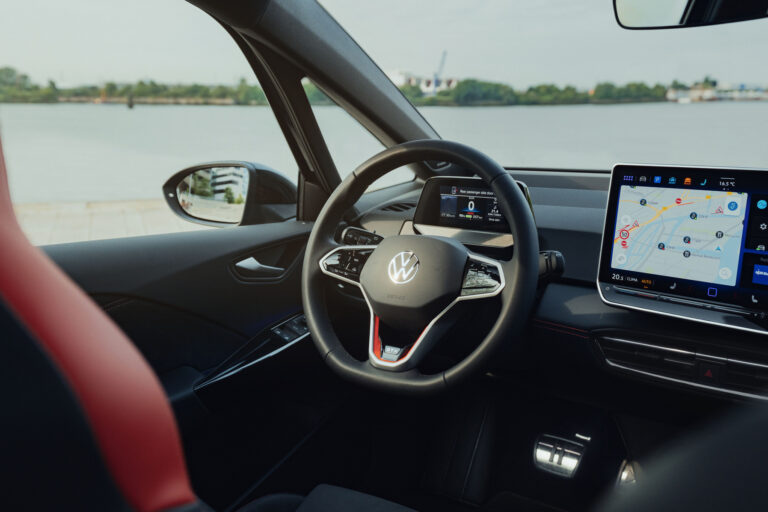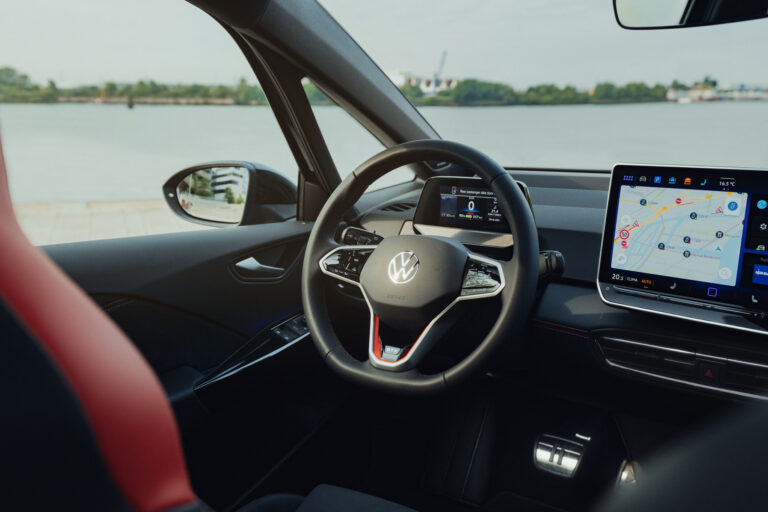
Audio playback and media system malfunctions are common in modern cars. The good news is that many problems can be solved with software updates. Are you wondering why your car’s infotainment system isn’t responding or playing music? We’ll discuss the most common causes and practical solutions you can apply directly.
Common car audio system malfunctions
Audio playback and media system malfunctions can have various causes. These problems occur not only in newer models but also affect older cars.
Common malfunctions include:
- No power or no sound from the speakers
- Distorted sound or interference during playback
- Bluetooth, USB or connection problems with smartphones
- Touchscreen responds slowly or not at all
- Music streaming crashes regularly
- Antenna problems causing poor radio reception
In many modern cars, these problems arise due to software glitches in the infotainment system. The systems are complex. They don’t always react well to updates from apps such as Spotify or Apple Music. The combination of different functions can also lead to delayed responses.
‘ A blown fuse can be identified by a black or broken wire inside. ’
Why isn’t the system playing music?
If your car suddenly stops playing music, first check the most obvious causes. Many owners report that their system produces no sound, even though the screen is working normally.
Check the following:
- Is the volume accidentally set to zero?
- Is the car battery still working properly? A flat battery can erase the system’s memory
- Are all cables still securely connected?
- Is the correct audio input selected, e.g. Bluetooth or USB?
Sometimes the problem lies with the fuses. You’ll find the fuse box under the dashboard or in the engine compartment. Locate the fuse for the audio system and check if it has blown. A blown fuse can be identified by a black or broken wire inside.
Connecting Spotify and Apple Music to your car
Music streaming via Spotify or Apple Music usually happens via Bluetooth or Android Auto and Apple CarPlay. Connecting is often simple, but malfunctions occur regularly.
Here’s how to connect your smartphone to the system:
- Ensure Bluetooth is enabled on your phone
- Go to the audio system settings and select Bluetooth pairing
- Choose your phone from the list of available devices
- Confirm the pairing on both devices
- Open Spotify or Apple Music and start playback
Still not working? Then remove all old pairings from the system. Old connections can prevent new devices from working properly. Also, restart your phone and the infotainment system.
Solutions for audio quality problems
Distorted sound or noise while driving can have various causes. Sometimes the problem lies with the speakers themselves, but often it’s a matter of earthing or interference.
Check these points for sound problems:
- Are the speakers undamaged? Listen to each speaker separately via the balance settings
- Do you hear noise when accelerating? This may indicate a poorly earthed connection
- Are audio cables and power cables routed together? That can cause interference
- Do all speakers work equally loud? A defective amplifier sometimes only produces sound on some speakers
For noise from the alternator, a ground loop isolator (a device that filters interference from the electrical system) can help. This small device costs little and is placed between the audio cables. It filters interference from your car’s electrical system.
‘ Note: not all app functions are available via the audio system while driving. ’
Compatibility of audio apps with car systems
Not all apps work equally well with every infotainment system. Most modern systems support Spotify, Apple Music, YouTube Music and TuneIn. Older systems sometimes offer limited capabilities.
Which apps usually do work:
- Spotify via Bluetooth, Android Auto or Apple CarPlay
- Apple Music via Apple CarPlay or Bluetooth
- YouTube Music via Android Auto or Apple CarPlay
- TuneIn for radio streaming
- Podcasts via Apple Podcasts or Spotify
Check your car’s manual to see which systems are supported. Some brands have their own apps. These sometimes work better than general streaming services. Note: not all app functions are available via the audio system while driving. This is for road safety reasons.
Updating media software in your car
Software updates resolve many audio playback and media system malfunctions. Manufacturers regularly release updates that fix bugs and improve performance.
Here’s how to update the system:
- In the menu, look for settings or system settings
- Check if there is a software update or system update option
- Some systems update automatically via Wi-Fi or mobile data
- Others require a USB stick with the new software on it
- Download the update from the car manufacturer’s website
- Follow the on-screen instructions carefully
Make sure the car remains started during the update and does not switch off. An interrupted update can cause the system to stop working. Ensure the battery is fully charged or connect the car to a charger.
When self-solving no longer helps
Have you tried all the above steps and the system is still not working properly? Then there may be a hardware defect. Speakers can break, amplifiers can fail, and wiring can break.
Take your car to a specialist if:
- The screen no longer responds at all, even after a reset
- Physical damage is visible on the system
- Multiple functions fail simultaneously
- Software updates do not solve the problem
- Smoke or a burning smell comes from the system
Some garages specialise in car electronics and audio systems. They can read out the system and pinpoint the exact fault. Diagnosis costs vary but are often between fifty and two hundred euros.
‘ This provides a complete reset of all electronic systems in the car. ’
Reset to factory settings as a last resort
A factory reset can help with stubborn software problems. Please note: this will erase all settings and paired devices. First, make a note of important data such as radio stations and custom sound settings.
Perform the reset as follows:
- Go to system settings in the menu
- Look for the option ‘restore factory settings’ or ‘reset system’
- Confirm that you want to erase everything
- The system will automatically restart
- Reconfigure everything such as Bluetooth pairings and sound settings
Another way is to disconnect the car battery for about fifteen minutes. This provides a complete reset of all electronic systems in the car. First disconnect the negative terminal, then the positive terminal. Wait long enough and then reconnect the positive terminal first.
On the Carnews website, you’ll find much more information about car technology, maintenance, and common car problems. Discover useful tips and background articles that will help you further solve technical questions.
Frequently Asked Questions
You can recognise the most common malfunctions by symptoms such as no sound at all, the radio or display failing, or a system that no longer turns on (often due to fuse, battery, or wiring problems). Distorted sound, crackling, or humming usually indicates poor earthing, damaged wiring, overloaded speakers, or interfering cable routing. Bluetooth/USB problems manifest as no connection, frequent disconnections, or unrecognised devices, usually due to outdated software, incorrect settings, or faulty cables. A non-responsive or frozen touchscreen often points to a software error or physical damage and sometimes requires a factory reset or professional diagnosis.
First, check the basics: is the volume not at zero, is the mute function off, and are other sound sources working (radio vs. Bluetooth/USB)? Then, check the fuse box (according to your manual) to see if the audio system’s fuse hasn’t blown and replace it if necessary. Check the wiring around the radio/head unit: are the plugs securely fastened, are there no visible damages or loose wires, and does a reset help (disconnecting the radio from power for 15–20 minutes)? For connectivity issues (Bluetooth/USB), you can remove all pairings, restart your phone and system, and, if available, update the media system’s firmware.
Typical causes include power supply or fuse problems, loose or corroded wiring, and a poor earth connection. In addition, software errors, outdated firmware, or frozen systems often cause flickering audio or a non-responsive touchscreen. Defective or overloaded loudspeakers, amplifiers, and poor signal cables (RCA, Bluetooth, USB) also cause failure or distortion. Finally, interference in the antenna or radio receiver can lead to sound dropouts or noise.
Call in a professional if basic checks (fuses, wiring, reset, battery) offer no solution or if there are suspicions of hardware defects in the head unit, amplifier, or speakers. Professional help is also necessary for complex malfunctions such as recurring software crashes, no output despite correct power supply, or if there is doubt about electrical safety. For diagnosis and repair, you can roughly expect to pay €50–€200 for amplifier or system repairs. Replacing a head unit usually costs between €100 and €500, depending on brand and features.
Yes, you can often try a software update or reset yourself first. Check the menu of your car’s audio system to see if firmware or system updates are available and install them according to the manual. You can also perform a soft reset (system off/on) or a full factory reset to resolve persistent software errors. Be aware that a factory reset will often erase all your saved stations, settings, and Bluetooth pairings.