
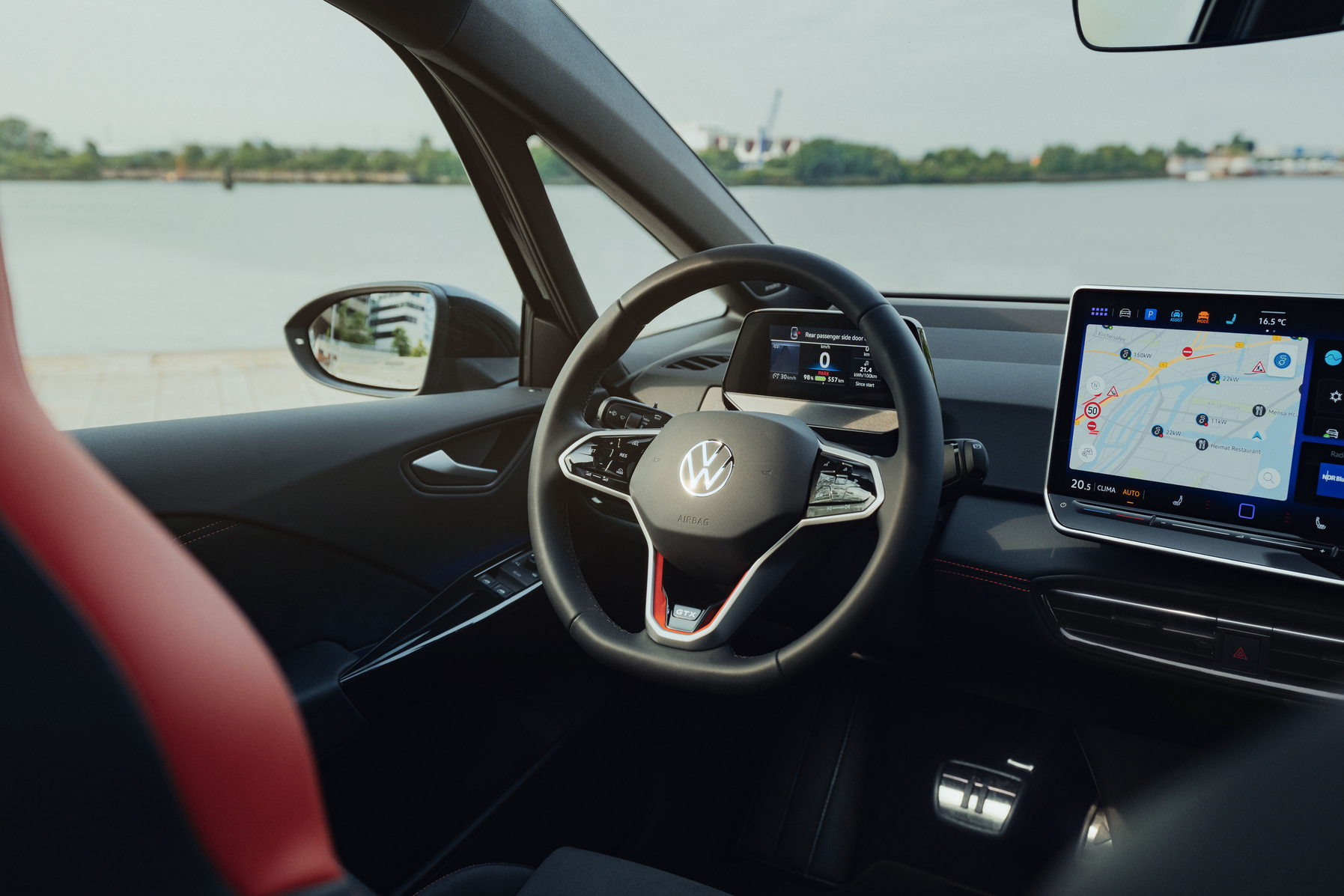
Smartphone connectivity and Bluetooth issues are a recurring source of frustration for car owners. You just want to make handsfree calls or play music, but the connection stutters, drops out or simply refuses to pair. Especially with modern electric cars you expect technology to work properly, but the reality is sometimes different. Discover how you can fix these annoying connection problems yourself.
Why connection problems are so common
Most Bluetooth connection problems are caused by software rather than faulty hardware. This means you can solve many issues yourself without having to go to the garage. Owners of the Volkswagen ID.3 regularly report pairing failures, interrupted connections and inconsistent operation of touch commands. These complaints are familiar to many car owners with modern infotainment systems.
A frequently underestimated cause is insufficient battery power. Both your smartphone and your car’s infotainment system need to be sufficiently charged for stable Bluetooth connections. Weak batteries lead to reduced transmission power, resulting in dropouts and instability while driving.
Power-saving modes on modern smartphones are another culprit. Many phones have adaptive battery optimisation that automatically puts Bluetooth apps into sleep mode. This can cause unexpected loss of connection, precisely when you need it most.
‘ A complete restart of both devices is often the most effective first measure. ’
Basic troubleshooting for Bluetooth connections
Always start with the simplest solution before you move on to more complicated steps. Switch Bluetooth completely off and back on via your car’s control panel. Check whether the Bluetooth icon is active and make sure that both devices are actually paired and connected. This simple action surprisingly often resolves temporary faults.
A complete restart of both devices is often the most effective first measure. Switch your smartphone and the infotainment system completely off for about 30 seconds. Wait before turning them back on. This process clears incorrect data from the working memory and restarts all Bluetooth processes from scratch.
Re-pairing devices for a stable connection
If a simple restart does not help enough, it is time to completely reset the connection. Open the settings on your smartphone and go to connected devices. Forget all existing Bluetooth connections for your car and remove them completely from the list.
Then put your car into discoverable mode and pair both devices again as if you were doing this for the first time. This eliminates stubborn connection errors that have built up over time. Make sure your phone is close to the system while pairing for the best results.
Which smartphone do you use?
Test your car with another smartphone model to rule out where the problem lies. If connection with the other device does work, the problem is probably with your original smartphone. Software updates or specific settings may be the cause.
If connection also fails with another device, the problem may lie with your car’s Bluetooth module. In that case it is sensible to contact the dealer or garage for further diagnosis. Hardware problems are rare, but cannot be completely ruled out.
‘ A simple habit of charging before you set off can save you a lot of frustration. ’
Optimisation for long-term stability
Disable all power-saving settings for Bluetooth or put your phone into a higher performance mode while using it in the car. Many smartphones have separate settings per app where you can turn off battery optimisation. Look specifically for your music or navigation apps and set them to unrestricted battery use.
Check your smartphone’s adaptive battery optimisation. This feature automatically puts apps you do not use often into sleep mode. Make sure that apps you use in the car are excluded from this. You will usually find this setting under battery or power management in the settings menu.
Maintain sufficient battery levels in both your smartphone and your car before going on long journeys. This prevents connection problems while on the road. A simple habit of charging before you set off can save you a lot of frustration.
Practical tips for everyday use
Keep your list of paired Bluetooth devices tidy. Go through all stored devices periodically and remove unused connections. An overcrowded list can interfere with the stability of active connections.
Make sure your smartphone is discoverable when you try to establish a new connection. Some phones automatically turn off discoverability after a certain time. Also keep your phone physically close to the infotainment system, especially during the pairing process.
Important practical measures:
- Regularly remove unused Bluetooth devices from your car
- Make sure both devices are sufficiently charged for stable connections
- Turn off power saving for Bluetooth and related apps
- Keep your smartphone close to the system during pairing
- Test with another device to identify the source of the problem
When you need professional help
Although most Bluetooth problems can be solved independently, there are times when professional support is needed. Contact your dealer or garage if none of the troubleshooting steps works after several attempts. Persistent problems may indicate a deeper underlying software issue that requires an update.
If your car’s Bluetooth system does not connect with any device at all, there may be a hardware defect. This is rare, but does require professional diagnosis and possibly replacement of components. Do not wait too long to have it checked, especially if the car is still under warranty.
‘ Always start with the simple steps and work systematically towards more complex solutions. ’
You can find more tips and information at Carnews
Bluetooth connection problems are frustrating. Fortunately, most issues can be resolved with the right approach. Always start with the simple steps and work systematically towards more complex solutions. With the tips above you can solve most connection problems yourself and once again enjoy handsfree calling and music playback in your car.
On the Carnews website you will find plenty more useful information about common car problems, maintenance tips and practical guides for car owners. We cover issues with electric cars, classic models and specific brands. Discover more articles that help you understand and solve problems. Browse our website for even more tips and facts about cars.
Frequently asked questions
This question seems to refer to an object that has not been displayed correctly, causing the content to be missing. As a result, it is not possible to determine exactly what is being asked or what context applies.
The text “[object Object]” appears to indicate a technical issue where an object from code (for example JavaScript) is being displayed as text instead of the intended content. Check whether the correct data (such as a string or text field) is being passed to the display function, rather than an entire object. Often you need to show a specific property of the object in the code (for example `object.name` instead of `object`). If this happens in a web application, look at the console errors in the browser to see where the object is being processed incorrectly.
This text explains how to solve Bluetooth problems between a smartphone and a Volkswagen ID.3. The emphasis is on software-related causes, sufficient battery power and turning off power-saving options. It describes steps such as restarting, re-pairing and testing with another device. It also indicates when professional help is needed.
The text fragment provided describes steps and tips to solve Bluetooth and smartphone connectivity problems in a Volkswagen ID.3. The focus is on software-related causes, restarting both devices, re-pairing, disabling power-saving settings and testing with another device. In case of persistent problems, it is recommended to seek professional help.