
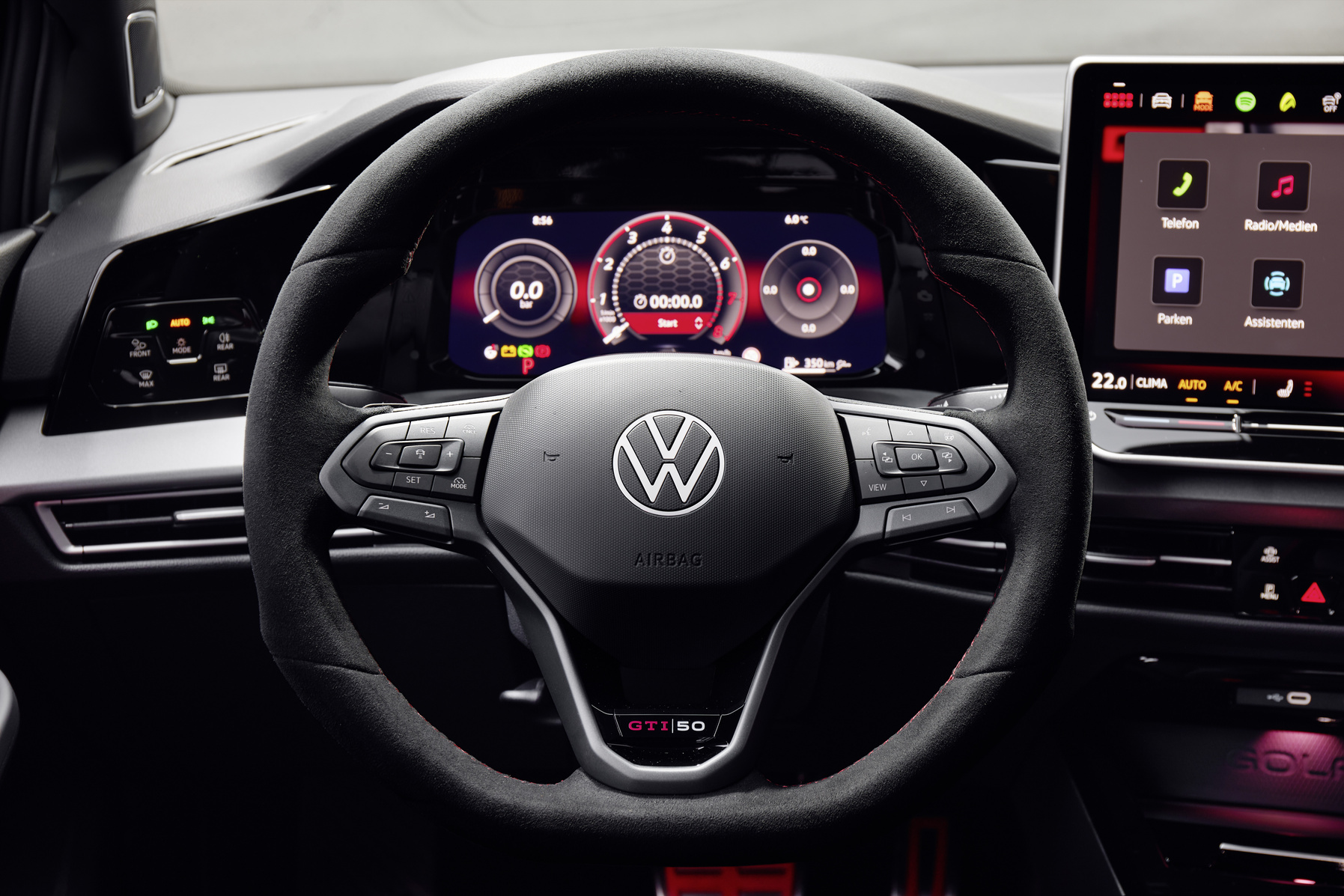
Electronic faults in the Volkswagen Golf are a recurring problem that many owners encounter. From failing infotainment systems to defective sensors and software errors, the electronics can seriously disrupt the driving experience. These problems occur mainly with the Golf 7 and Golf 8 and are often caused by carbon build-up, wear or software bugs. What can you expect and how do you fix it?
Common electronic problems in the Volkswagen Golf
The Volkswagen Golf suffers from various electronic complaints that differ per generation. In the Golf 8 it mainly concerns infotainment and driver assistance systems, while the Golf 7 more often has issues with engine and sensor problems. These faults are widespread and regularly arise due to software errors or components that are affected by wear.
The infotainment system of the Golf 8 regularly crashes. Owners report sudden blackouts, long loading times and connection problems with Bluetooth. This occurs mainly in models from 2020 and 2021 with a 10-inch display. Voice control also often fails, meaning phone calls or navigation via voice no longer work.
Sensors in adaptive cruise control and lane assist sometimes give false warnings or switch off for no reason. ABS and ESP lights can illuminate due to defective sensors, which has a direct impact on safety. Never ignore these lights, because they affect the brakes and stability systems.
‘ Volkswagen has released multiple patches specifically for infotainment bugs in the Golf 8. ’
Repairing Bluetooth and interior electronics
Bluetooth problems in the Golf are frustrating but can often be solved with simple steps. Start by removing all paired devices from the system and pairing your phone again. Also check whether both your phone and the infotainment system have the latest software.
If this does not work, try resetting the infotainment system. You do this by pressing and holding the screen for ten seconds until the system restarts. Another option is to briefly disconnect the battery, which restarts all electronic systems. This often offers a temporary solution for infotainment faults.
For persistent problems a software update via the dealer is required. Volkswagen has released multiple patches specifically for infotainment bugs in the Golf 8. Regularly check via the VW app or dealer whether updates are available, as these often resolve faults preventively.

Recognising dashboard warning lights and sensor errors
Dashboard warning lights that stay on often indicate defective sensors. ABS and ESP lights occur regularly with the Golf 7 and Golf 8. These faults are caused by dirty or broken wheel sensors, which measure the speed of each wheel. Carbon build-up or rust can interfere with the sensors.
A check engine light may indicate problems with the lambda sensor. This sensor measures the oxygen in the exhaust gases and affects fuel consumption and power. When it fails you will notice increased fuel consumption and loss of power. Lambda sensors wear out due to contamination and high temperatures, especially in cars that do a lot of short trips.
Use an OBD-II tool to read out the exact fault code. You connect this tool to the OBD port, usually under the steering wheel. The fault code tells you which system or sensor is defective. Cheap OBD scanners are available for home use and give immediate insight into the problem.
EGR valve and exhaust system faults
The EGR valve, which routes exhaust gases back to the engine to reduce emissions, can stick due to carbon build-up. This occurs mainly in diesel engines in the Golf 7. Symptoms are juddering during acceleration, loss of power and an illuminated engine warning light.
Carbon build-up occurs with frequent short trips where the engine does not reach operating temperature. The EGR valve then becomes contaminated with soot particles. A dirty EGR valve can be cleaned, but in the case of severe contamination, replacement is necessary. Making longer trips as a preventive measure helps keep the valve clean.
The particulate filter can also become clogged due to carbon build-up. This leads to vibrations, reduced performance and warning lights. The filter regenerates itself during longer trips at higher speeds, during which the soot particles are burned off. Therefore, regularly drive on the motorway to prevent this problem.
‘ Replace the fluid according to the service schedule, even if it is sometimes presented as maintenance-free. ’
Mechatronics and DSG gearbox problems
The mechatronics unit is the electronic control unit of the DSG gearbox. This component combines hydraulics and electronics to control gear changes. If it fails, you will notice jerks while shifting, delayed responses or error messages on the dashboard.
Mechatronics problems occur due to wear of internal components or contamination of the transmission fluid. Golf 7 owners report that the DSG gearbox jerks, especially at low speeds. This may indicate a defective mechatronics unit or worn clutch.
Regular maintenance of the transmission fluid helps prevent problems. Replace the fluid according to the service schedule, even if it is sometimes presented as maintenance-free. In the event of serious faults, replacement or overhaul of the mechatronics unit is required, which can be costly.

Resetting electronic faults in the Golf 7
Resetting electronic systems can temporarily help with faults. Start by switching off the engine and opening the door. Wait a few minutes and then start again. This often resets the start-stop system and infotainment.
For a thorough reset, disconnect the battery. First remove the negative terminal and wait about fifteen minutes. This clears temporary fault codes and resets all electronic systems. Note that this can also erase radio codes and settings.
A professional reset using a diagnostic tool at the dealer is more effective for persistent problems. The dealer can reset specific control units and clear permanent fault codes. This is especially useful after repairs or in the case of recurring software errors. A dealer visit is also necessary for complex fixes such as ECU updates or display replacement.
Key recognition and eCall problems
Some Golf 8 owners receive the message “key not recognized” in the display, even with a new battery in the key. This is a software error in the keyless entry system. The car no longer recognises the key, making it impossible to start.
This fault requires the key to be reprogrammed via the dealer. It is not a problem with the key battery but with the communication between key and car. Volkswagen has released updates for this issue, so check whether your car has the latest software.
The eCall emergency call system has also caused software problems. This system automatically calls the emergency services in the event of an accident, but data transfer sometimes fails. Volkswagen has delayed deliveries and possibly carried out recalls because of this. Check with the dealer whether your car is subject to a recall for free repair.
‘ Regularly reading out fault codes helps to detect problems early before they lead to a breakdown. ’
Preventive measures against electronic faults
Regular software updates are the most important form of prevention. Volkswagen releases patches for known bugs, especially for early production series of the Golf 8. Keep up with updates via the VW app or schedule them during services.
Test driver assistance systems regularly during longer trips. Check whether adaptive cruise control and lane assist are working correctly. Avoid extreme temperatures by parking the car in the shade or in a garage, as this protects the electronics and the display.
Use an OBD scanner for home checks. Regularly reading out fault codes helps to detect problems early before they lead to a breakdown. Write down fault codes and search online for known solutions for your specific Golf generation.
Follow the service schedule closely. Replace filters, fluids and sensors on time to prevent wear. Longer trips help keep the particulate filter and EGR valve clean, which prevents engine electronics faults.

When to visit the dealer for diagnostics
Go to the dealer if warning lights remain on after a reset. In particular ABS, ESP and engine lights require professional diagnostics because they affect safety. A dealer has advanced diagnostic tools that can look deeper into control units than a standard OBD scanner.
In the case of recurring infotainment crashes, a dealer visit is necessary for a hardware inspection. Sometimes the entire display or control unit has to be replaced. This is often covered under warranty for more recent models, especially if it concerns a known manufacturing fault.
Always check whether your car is subject to a recall. Volkswagen has carried out recalls with free repairs for various electronics issues. Via the KBA website or your dealer you can use your chassis number to check whether there are any outstanding actions.
Discover more about your Volkswagen
On the Carnews website you will find extensive information about common problems with various Volkswagen models. From maintenance tips to detailed problem analyses, there is much more to discover. Explore the website and stay up to date with everything concerning your car.
Frequently asked questions
The most common electronic faults in the VW Golf are problems with the infotainment system (freezing, black screen, no Bluetooth connection), defective or malfunctioning sensors (ABS/ESP, lane and distance assist) and software errors in assistance systems and key recognition. Symptoms include suddenly failing or slow-responding screens, error messages in the display, warning lights that stay on (such as ABS/ESP) and driver assistance systems intervening without reason or dropping out. The car may also sometimes fail to recognise the key, showing a message such as “key not recognized”. In engine-related electronics this manifests itself in higher fuel consumption, rough running or loss of power due to defective sensors (e.g. lambda sensor).
You can read out electronic problems in your VW Golf yourself by connecting an OBD-II diagnostic tool to the car’s OBD port and viewing the fault codes with corresponding descriptions in an app or software. Preferably use an OBD-II Bluetooth or WiFi dongle in combination with a diagnostic app (e.g. Car Scanner, OBDeleven, VCDS-lite or similar VAG-specific software). With these tools you can clear fault codes after a repair and monitor live data (such as sensor signals) to check whether the problem has been resolved. Note that complex or safety-critical faults should still be checked by a specialist afterwards if necessary.
Simple electronic faults, such as resetting the infotainment system or an error message that can be solved with a software update, usually only cost diagnostic fees or a small amount of labour time and are low in complexity (reading and resetting via OBD). Medium-level faults, such as defective sensors (ABS/ESP, lambda, key recognition), require specialised diagnostics, replacement of parts and programming, with medium costs and average complexity. Complex faults, such as repeatedly crashing infotainment units or ECU/eCall problems, may require replacement of complete modules and extensive software updates, with high labour and parts costs and high complexity. For early Golf 8 models, costs can partly be reduced if there is still a warranty or a recall/service campaign applies.
Prevent electronic faults by regularly having all available software and navigation updates installed via the VW dealer and having known recalls carried out. Protect the electronics by keeping the battery in good condition (sufficient voltage, no long periods of inactivity, trickle charger if the car is seldom used) and by avoiding extreme heat or cold in the car as much as possible. As soon as the first warning lights appear (ABS/ESP, engine, airbag), have an OBD diagnosis carried out immediately instead of continuing to drive, so that minor sensor problems do not cause bigger faults. Where possible, use genuine or OEM parts and have accessories (dashcam, audio, towbar electrics) professionally installed to avoid voltage spikes and potential sources of faults.
Signals that an electronic fault is serious include red warning lights (e.g. brake, ABS or ESP light) or several warnings at once on the dashboard. Immediately noticeable safety issues such as failing brake or driver assistance systems, the engine going into limp mode or severe loss of power also indicate urgency. A completely black or constantly rebooting instrument or infotainment screen combined with driver assistance systems dropping out is another reason to stop and call for help. In addition, any electronic fault accompanied by a burning smell, melting odour or crackling noises requires immediate professional attention.