
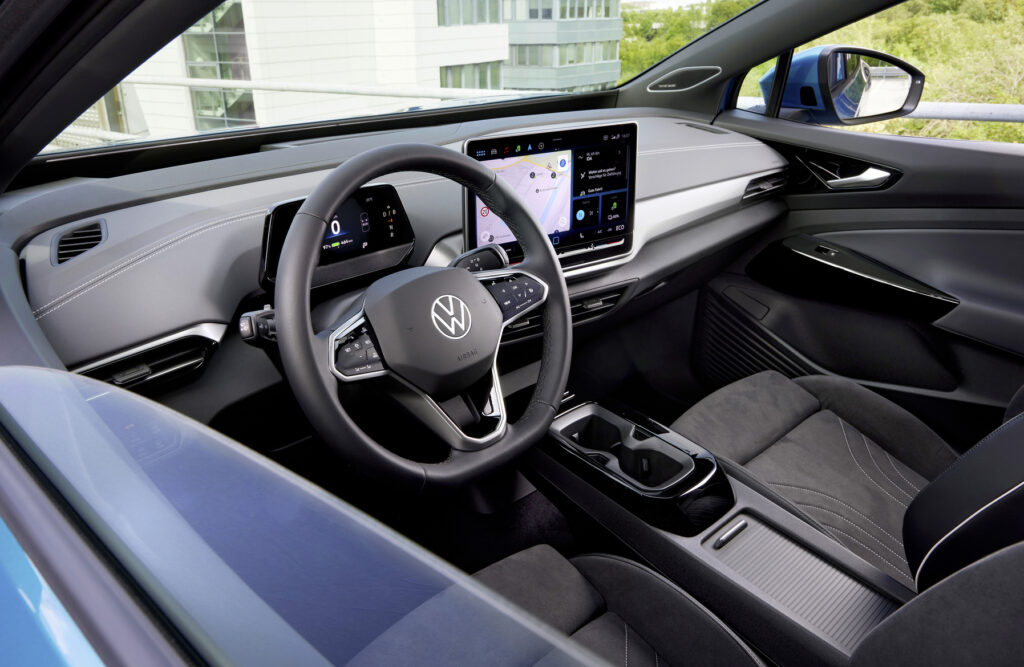
The infotainment system in the Volkswagen ID.4 is letting many owners down, with regularly freezing screens, unreliable voice navigation and failed software downloads. These issues often make the system practically unusable and occur mainly in 2021–2023 models with older software versions. Volkswagen regularly releases updates. Even so, the software remains a frequent complaint on owner forums. These problems also show up often in service records. Discover which problems occur most frequently and how you can tackle them yourself.
Why does the ID.4 infotainment screen freeze
The central screen of the Volkswagen ID.4 can go black while driving. It can also freeze completely. This problem also disables the digital instrument cluster and reversing camera. The system restarts automatically, but for many owners the fault recurs again shortly afterwards.
The cause often lies in software bugs in older system versions. The infotainment unit cannot always cope with the processing load. This happens especially after over-the-air updates or on cold starts. Owners report that the screen fails without warning, while the radio and climate control continue to work normally. This indicates an issue in a specific software component rather than a complete system failure.
You can often solve the problem yourself with a soft reset. Press and hold the power or volume button at the bottom right of the screen for 10 to 20 seconds. You will hear a click and within 30 seconds the VW logo appears. In many cases this reset temporarily clears the fault. If the problem keeps coming back, dealer intervention is needed for a software reflash or an update to a more stable version.
‘ Many owners find that the voice function only reads out user instructions instead of planning routes or adjusting settings. ’
How problematic is the ID.4 voice navigation
The ID.4 voice navigation often responds unreliably. The system does not recognise commands properly or only gives standard responses without actually starting navigation. Many owners find that the voice function only reads out user instructions instead of planning routes or changing settings.
This is caused by poor integration between the voice recognition system and the navigation unit. Software updates sometimes improve recognition, but owners report mixed results. Some are able to navigate normally again after an update, while others continue to experience issues. The quality depends heavily on the installed software version and regional language support.
First check whether online services and data sharing are activated in the privacy menu. Without an active connection the voice navigation has limited functionality. A soft reset can also help, but if problems persist you should ask a dealer to reprogramme the navigation unit. Record the issues with videos or screenshots to strengthen any warranty claim.
Can I upgrade the infotainment system in my ID.4
Upgrade the system via over-the-air updates or at the dealer. Volkswagen regularly rolls out OTA updates (over-the-air updates: wireless software updates that you can download and install via the infotainment menu). Check weekly for new versions under system update settings. Make sure you have a stable Wi‑Fi connection while downloading, as updates via mobile data often fail.
OTA updates themselves sometimes cause new problems, as owners regularly report. Downloads stop halfway or the system reboots prematurely, causing the installation to fail. This happens mainly with older builds from 2021 and 2022. In that case, have the dealer carry out a manual software reflash. This replaces the entire software version with a more stable build.
Be aware that factory resets (factory settings: fully restoring the infotainment system to its original state) delete all stored settings. Make notes of your preferred settings beforehand – for example climate, driving modes and user profiles. After a reset you also need to reconnect the MyVW app (the official Volkswagen app for remote vehicle control). Delete all user profiles in the menu before performing a factory reset to avoid synchronisation issues with the app.
Common problems during software updates
- Downloads that stop halfway without an error message
- Installation process that does not start after a successful download
- System restarting during the update
- Loss of user profiles after an update
- MyVW app no longer connecting after a software change
Problems with the MyVW app and remote services
The MyVW app regularly shows outdated charging statuses. The app also often loses connection with the car. After updates on the phone or in the car the app often no longer responds. This makes functions such as remote preconditioning or checking the charging status unusable.
First check the privacy settings in the infotainment menu. Switch on online services and data sharing. Many owners discover that these are disabled by default after a factory reset or software update. Without active consent the app cannot retrieve up-to-date data from the car.
Try a power cycle of both the car and your phone. Switch both completely off and on again. Then uninstall the MyVW app and reinstall it. Pair the app again with your user profile in the car. Owners report that Volkswagen server problems also occur; in that case, wait 24 hours and try again.
‘ This makes navigation unreliable and can lead to missed exits or incorrect route calculations. ’
Navigation and GPS errors in the ID.4
GPS problems show up as incorrect vehicle locations on the map, wrong speed limits or a non-functioning SOS feature. Some owners see their car on the map hundreds of metres away from its actual position. This makes navigation unreliable and can lead to missed exits or incorrect route calculations.
The cause is often in the telematics unit (the communications component that processes GPS signals and mobile connections for navigation and online services). Software updates can fix this problem, but sometimes hardware intervention is needed. Owners report that ghost locations occur mainly after the winter season, possibly due to moisture ingress or temperature fluctuations affecting the GPS receiver.
Start with a soft reset of the infotainment system. If this does not work, the dealer must reprogramme or replace the navigation or telematics unit. This is usually covered by the warranty. Take photos or videos of the incorrect locations with a timestamp to support your case with the dealer. Owners report that in 80 per cent of cases a software update restores GPS accuracy.
Bugs in user profiles and feature access
The ID.4 sometimes does not recognise the primary user. As a result, Plug & Charge functionality (automatic recognition and billing at charging stations without extra steps) or personal settings are not available. The system saves settings inconsistently or forgets them after a reboot. This is frustrating because you have to set seat positions, climate preferences and driving modes again every time.
This problem is caused by bugs in user profile management. The car does not synchronise profiles properly with the infotainment system or the MyVW app. As a result, the car does not know which settings belong to which key or user.
Delete all user profiles via the menu and perform a factory reset of the infotainment. Then reconnect the MyVW app and create new profiles. Owners advise always installing the latest OTA update before creating profiles again. Synchronisation usually works properly after that.
Steps for a factory reset of user profiles
- Go to settings in the infotainment menu
- Select user management and delete all profiles
- Select system and choose factory reset
- Confirm the reset and wait for the system to restart
- Reconnect the MyVW app via Bluetooth and Wi‑Fi
- Create new user profiles and save your settings
Prevention and general tips for ID.4 owners
Check weekly for available OTA updates in the infotainment menu. Models with software versions from before 2024 have more frequent issues. Updates often fix known bugs, so it is worth keeping your system up to date. Make sure you have a stable Wi‑Fi connection during updates to avoid interrupted downloads.
Avoid connecting multiple apps to the system at the same time. This increases the risk of conflicts and crashes. Cold weather makes software glitches worse, probably due to increased load on the system during start-up. If possible, park the car in a garage in freezing weather to reduce start-up problems.
Many issues are covered by the Volkswagen warranty, which runs up to 8 years or 160,000 kilometres for battery and software. Check for outstanding recalls via the VIN with your dealer. Document all faults with date, time and symptoms. This strengthens your case for warranty claims and helps the dealer to act more quickly and accurately.
The most effective tip owners share is to hold down the power button for 15 seconds. According to user reports this temporarily fixes the problem 9 times out of 10. If issues persist, a dealer visit with documented logs remains the best option for faster and more targeted service.
On the Carnews website you can find more information on car problems, maintenance advice and practical tips for different models. Discover more articles and stay up to date with common faults in electric cars.
Frequently asked questions
The infotainment and software problems in the Volkswagen ID.4 are experienced by many owners as annoying and persistent, especially in early model years with older software. They manifest themselves as frozen or black screens, stuttering navigation and unreliable app and online functions, which makes everyday use noticeably less pleasant and less predictable. In most cases the car remains technically drivable and the problems can be temporarily resolved with resets and updates, but confidence in the electronics takes a hit. Regular software updates and sometimes dealer visits are needed to limit the impact on everyday driving.
Volkswagen has released multiple infotainment and control software updates (including OTA updates and dealer reflash campaigns) for the ID. models to fix freezes, black screens, GPS errors and connectivity problems. According to users, these updates resolve a large share of the faults (70–80% is often mentioned), especially after a full reprogramming at the dealer. Nevertheless, recurring complaints about unstable software and occasional freezes persist despite the updates. As a result, the updates are seen as partially, but not completely, effective.
The most common infotainment complaints from ID.4 drivers are a frozen or black screen, poor connection with the MyVW app, inaccurate navigation/GPS and bugs around user profiles (car not recognising the primary user, settings not being saved). A practical tip for a frozen or black screen is a soft reset: hold the power/volume button under the screen for about 10–20 seconds until the VW logo appears. For app problems, it often helps to check online services and data sharing in the menu, switch the car and phone fully off and on again, and reinstall and reconnect the MyVW app. For stubborn navigation and profile problems, a factory reset of the infotainment system and, if necessary, a dealer update or full software reflash are the usual workarounds.
The software problems of the ID.4 were particularly prominent in the earlier model years and older software versions, but have largely decreased thanks to various OTA updates and dealer updates. There are still reports of occasional bugs and freezes, especially in 2021–2023 models that are not fully up to date. For many users these issues are now manageable and can be solved with resets or updates. Whether this is a decisive reason to postpone purchase therefore mainly depends on your own tolerance for the occasional software headache.