
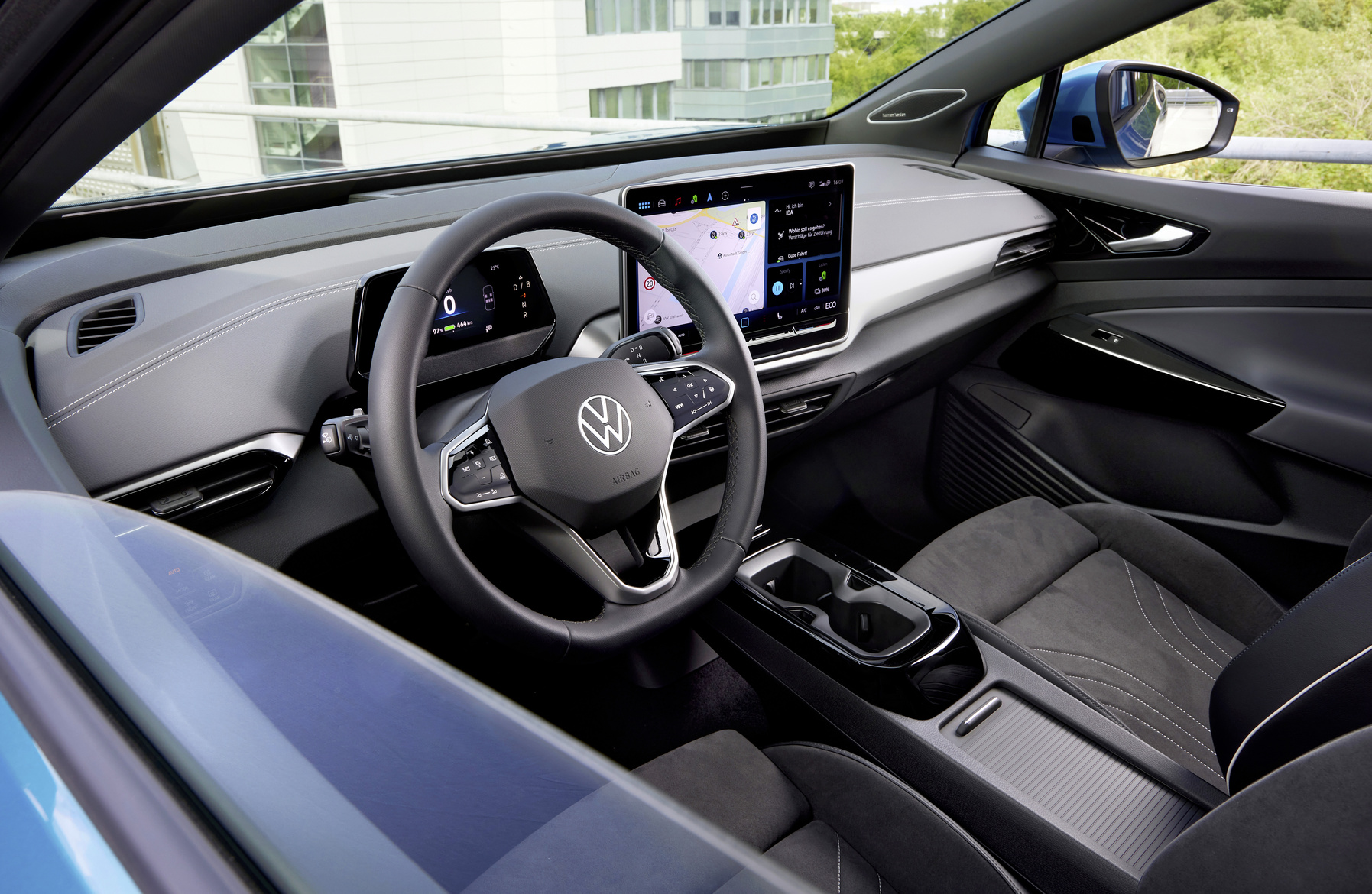
The Volkswagen ID.4 has a design decision that surprises owners: no 12V sockets in the front part of the car. This causes problems when installing dash cams, sat navs and other accessories that need power. What does this mean in practice and what solutions are there?
Where is the 12V socket in the ID.4
The ID.4 does have a 12V socket, but it is located in the boot. For many owners this is not a practical location. You can connect a cool box or other accessories to it while travelling, but for devices that are needed at the front it is unusable.
Instead of traditional 12V connections at the front, Volkswagen opted for USB ports. The Volkswagen ID.4 has several USB-C ports in the interior and a wireless charging option for smartphones. This choice fits the trend in modern electric vehicles, but does not take into account owners who want to use devices that require a traditional 12V power supply.
Problems when installing accessories
The lack of a 12V socket at the front creates several practical problems. Dash cams are a common example. These cameras are usually mounted on the windscreen and need a constant power supply.
In the ID.4 this means you have to run a cable from the back of the car to the front. This requires extra work and materials. The main problems are:
- Cables have to be routed through or under the interior
- You need longer cables than normal
- The installation takes more time and technical knowledge
- The risk of visible cables in the interior increases
Other accessories that are affected by this include parking sensors, GPS trackers and external sat nav systems. For owners who want to use these devices, this is a significant drawback.

How do you install a dash cam in the ID.4
There are several ways to install a dash cam in the ID.4. The most commonly used method is to run a cable from the 12V socket in the boot. This requires removing trim along the roof rails, the B pillar and possibly the A pillar.
You start at the 12V socket in the back. Route the cable under or along the headlining to the front. Many owners choose to run the cable along the side of the interior, hidden under the door sills and trim. At the windscreen you route the cable up along the A pillar to the dash cam.
An alternative is to connect to the fuse box. This requires technical knowledge of electrical systems in cars. You have to find the correct fuse that only supplies power when the car is switched on, or one that supplies power continuously. This method gives a neater finish because the cabling can be shorter.
For owners without technical experience, professional installation is recommended. A garage or car electrics specialist can neatly conceal the cable and ensure a safe connection.
External charging points as a solution
Another option is to add external 12V charging points at the front. There are adapters that fit into the USB-C ports and provide 12V output. These work for low-power devices, but do not provide enough power for all accessories.
The downside of USB-to-12V converters is the limited power. USB-C ports in cars usually provide between 15 and 45 watts. Many 12V accessories require more power, which means they do not function properly or do not work at all with a converter.
Professional installation of an extra 12V socket at the front is possible. This requires tapping into the main power cable and installing a new connection. Some garages offer this as an aftermarket solution. You will not always retain the warranty, so check with the dealer in advance.
Which accessories can you use
The ID.4 is suitable for accessories that run on USB power. Dash cams with USB power are available and easier to install than models with a 12V connection. You plug them directly into a USB-C port and mount them on the windscreen.
Do pay attention to the power specifications. Not all USB dash cams work well with the USB ports in the ID.4. Check whether the camera is compatible with the power output of the car. Some models have specific requirements for voltage and amperage.
Similar considerations apply to other accessories:
- Phone mounts with wireless charging work without extra power
- Bluetooth devices such as hands-free kits do not need an external power supply
- Portable sat nav systems with an internal battery can be charged via USB
- Cool boxes and other power-hungry devices can only be used in the back

Power consumption of the ID.4
It is useful to understand how the ID.4 handles electrical power. The car has a 77 kWh net battery capacity. This battery powers both the electric motor and all the electrical systems in the car, including the 12V systems.
Electric vehicles such as the ID.4 use a DC-to-DC converter (a converter that converts high voltage to 12V). This converts the high voltage from the main battery to 12V for accessories and systems. This means that using 12V accessories indirectly draws energy from the main battery, albeit in small amounts.
A dash cam uses an average of 5 to 15 watts. Over a day parked with an active parking mode, this can add up to around 120–360 watts per day. This has a negligible effect on the driving range, but with the car standing still for a long time without charging, it can still have an impact.
Volkswagen’s design choices
The decision not to fit a 12V socket at the front fits with Volkswagen’s vision of modern electric mobility. The brand focuses on digital connectivity via USB-C and wireless systems. For many users this is sufficient.
However, Volkswagen is overlooking a group of owners who do still want to use traditional accessories. Dash cams remain popular for insurance purposes and safety. GPS trackers are in demand among owners of expensive vehicles. The lack of a simple power supply at the front makes the ID.4 less suitable for these applications.
Volkswagen could change this in later model years or updates. Feedback from owners makes it clear that there is a need for more flexibility in power supply. Until then, owners will have to find their own solutions.
‘ Always check the warranty conditions before making any modifications. ’
Practical tips for ID.4 owners
If you want to install accessories in your ID.4, plan ahead. Research which devices are suitable for USB power and which require a 12V connection. Where possible, choose USB-compatible versions if they are available.
For installations that require a 12V connection, consider professional help. A specialist company can neatly conceal the cables and ensure a reliable connection. This prevents problems with loose connections or visible wiring in the interior.
Always check the warranty conditions before making any modifications. Some installations can affect the factory warranty. Ask the Volkswagen dealer what is and is not allowed without losing warranty.
On the Carnews website you will find more information about electric cars, accessories and practical tips for getting the most out of your vehicle. Discover useful articles about maintenance, problems and solutions for various car brands and models.
Frequently asked questions
The power consumption of 12V accessories is ultimately drawn from the high-voltage battery via the DC/DC converter, which reduces the driving range the more and the heavier 12V consumers you use. In normal situations (phone chargers, small cool box, laptop) this consumption is relatively low and has only a limited impact on the total range. Continuous use of more powerful 12V equipment can, however, require a few per cent extra energy, which can become noticeable on longer journeys as a slightly lower range. The main battery itself is not damaged by this, but it will discharge more quickly.
In the documentation consulted, Volkswagen does not provide any specific warnings or recommendations about the use of third-party 12V accessories in the ID.4. In the available source it is even stated that there is no specific information about 12V sockets in the ID.4.