
A non-functioning infotainment system in the Seat Ateca is a common issue. Software errors and crashes are often the root cause. Problems with the power supply also play a role. The good news is that many faults can be solved with simple steps such as a soft reset or checking the phone connection. Read on to find out how to tackle this problem.
Why has the infotainment screen in my Seat Ateca stopped working?
If the screen of your infotainment system stays black or does not respond at all, there is a good chance the system has temporarily frozen. This happens more often than you might think in modern cars. A software error can completely block the display. You then lose access to navigation, audio and other functions.
The power supply can also be the culprit. A blown fuse or poor electrical connection can stop the system from receiving power. Sometimes the problem is not even in the car itself, but in the connection with your smartphone. Android Auto and Apple CarPlay can unexpectedly freeze. This happens especially with an old cable or outdated software.
Owners of the Seat Ateca regularly report that the infotainment system behaves unpredictably. The system is slow to start up. Sometimes it keeps rebooting over and over again. These types of complaints are familiar and often point to a temporary fault that can be resolved with a few targeted actions.
Common symptoms of infotainment faults
Faults in the infotainment system can show up in different ways. A black screen is the most commonly reported issue, but there are more signs that point to a problem. Below you will find the most common symptoms:
- The display stays completely black or does not respond at all
- No sound comes from the speakers, even though the screen works
- The system keeps rebooting and will not remain stable
- Android Auto or Apple CarPlay will not connect or keep disconnecting
- The touchscreen responds slowly or not at all to touch
These symptoms can appear separately or in combination. Observe exactly when and how the fault occurs. Does it happen after starting the car? Or only after you connect your phone? These details help to find the right solution.
How do I reset the infotainment system in a Seat Ateca without losing data?
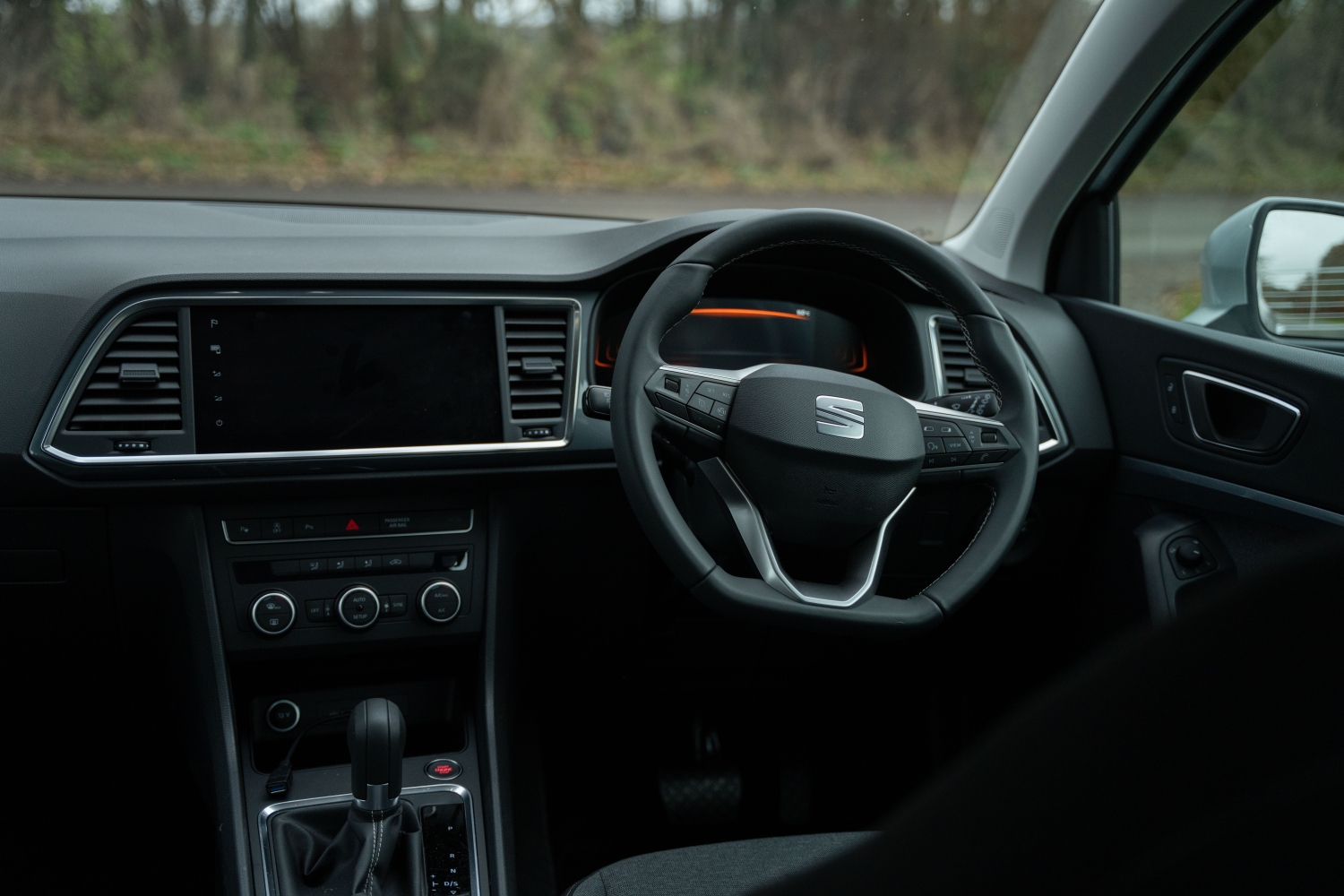
A soft reset is the first step you can take and in many cases this will resolve the fault immediately. This method clears temporary errors from the memory. You will not lose settings or paired devices. Press and hold the infotainment system’s power button for ten to fifteen seconds until the screen switches off. Wait a moment and then restart the system.
Does the soft reset not work? Then test whether the problem remains when there is no phone connected. Disconnect your smartphone and check whether the system now functions normally. Often Android Auto is the cause, or a poor cable. Also try another USB cable or a different device to rule this out.
When a hard reset is necessary
Sometimes the soft reset has no effect. A hard reset can then offer a solution. To do this you have to disconnect the battery. Disconnect the negative terminal of the battery and wait ten to fifteen minutes. Then reconnect the battery and restart the car. Note: with a hard reset some settings such as radio stations and clock settings may be lost.
Seat Ateca infotainment black screen: causes and quick fixes
A black screen usually indicates a software problem or an issue with the power supply. Older software versions are more prone to crashes. They can freeze without any obvious cause. This happens more often with Atecas that have not yet received recent software updates.
Also check the fuses that supply power to the infotainment system. These fuses are usually located in the fuse box under the dashboard or in the engine bay. Look in your car’s manual for the exact location and check whether the fuses are intact. Corrosion or damage can occur, preventing the system from receiving power.
Problems with phone integration
Smartphone connectivity is a recurring trigger for faults. Users report that the infotainment system often freezes when Android Auto is used. This may be due to an incompatible app version or a poor connection. Remove the pairing completely from the car and your phone. Then pair again using a reliable cable.
Also test the system without any external devices. Does everything work properly then? In that case the problem lies outside the car. Update the phone app, or replace the USB cable with a new one.
Which fuses should you check?
The screen stays completely dead. In that case there is a good chance of a power supply issue. Check the following fuses:
- Locate the fuse box under the dashboard on the driver’s side
- Consult the manual or the cover of the fuse box to find the correct location of the infotainment fuse
- Pull out the fuse and check whether the metal wire is intact
- Also check the fuses in the engine bay that are connected to the multimedia system
- Always replace faulty fuses with one of the same amperage
While checking, pay attention to corrosion around the contact points. Dirt or rust can disrupt the connection, even if the fuse itself is still intact.
When is a dealer diagnosis necessary?
If the steps above do not produce any results, it is sensible to seek professional help. A dealer has diagnostic equipment. Fault codes can be read from the system with it. VCDS is a diagnostic program used by many dealers. It allows you to pinpoint exactly where the fault lies.
Sometimes a full system reset (factory reset) is necessary. It may also be necessary to reinstall the software (reflash the software). This can only be carried out with specialised equipment. In stubborn cases there may be a defective infotainment module that needs to be replaced. This happens less often, but is still a possible cause if the system keeps stuttering.
Reading fault codes provides clarity
A dealer diagnosis gives access to exact fault codes. These codes indicate which part of the system is not functioning properly. You can then work towards a solution in a targeted way. You no longer have to guess the cause. This saves time and prevents unnecessary repairs.
Practical tips to prevent problems
Problems with the infotainment system are not always avoidable. But with a few simple measures you can reduce the chance of faults. Below you’ll find some useful tips:
- Test the system again after each step so you know which measure has had an effect
- Make a note of when the fault occurs: on a cold start, after connecting a phone, or while using media
- Only use original or high-quality USB cables for phone connections
- Keep software updates for both the infotainment system and your smartphone up to date
- Avoid aftermarket equipment that can cause electrical interference
Use your infotainment system consciously. Act early when small problems arise. This way, minor faults do not grow into major frustrations.
‘ Don’t immediately assume the worst-case scenario. ’
Real-world experiences
Owners of the Seat Ateca frequently share their experiences with infotainment faults. One theme keeps coming back. The problem is often not in the car itself, but in the connection with external devices. Many complaints disappear as soon as the phone connection is disconnected or a new cable is used.
It is also often reported that a simple reset is enough to stabilise the system again. However, there are also cases where only a dealer software update or module replacement provided a permanent solution. Work systematically. Don’t immediately assume the worst-case scenario. In most cases, that approach pays off.
On the Carnews website you will find much more information about problems and maintenance for different car makes and models. Discover more useful tips and insights that help you keep your car in top condition.
Frequently asked questions
The most common causes are temporary software errors or outdated software that make the system freeze or stay black. Problems with Android Auto or Apple CarPlay (for example a poor cable or an error in the connection with the phone) also frequently cause faults. In addition, fuse or power supply issues can prevent the infotainment screen from starting up at all. In persistent cases, the cause lies in a defective or incorrectly programmed infotainment module.
You can first carry out a soft reset by holding down the infotainment system’s on/off button for about 10–15 seconds until the screen restarts. Then check whether the problem also occurs without a paired phone and, if necessary, test with another cable or smartphone. Look in the fuse box to see whether the fuse for the infotainment system is intact and shows no signs of corrosion. If the fault persists, you can – bearing in mind that some settings may be lost – disconnect the battery for around 10–15 minutes to force a hard reset.
Yes, for the Seat Ateca there are known software and firmware issues with the infotainment system that can lead to freezes, black screens or reboot loops. In practice these faults are regularly resolved by software updates or reprogramming (reflashing) at the dealer. Outdated or bug-prone software versions turn out to be a very common cause. It is therefore worthwhile having it checked whether the latest software version is installed on the system.
It is necessary to visit a dealer or specialised garage when the infotainment system still does not work after a soft reset and restart. If the problem keeps coming back, or if fault codes are present, professional diagnosis is also required. A dealer visit is further advisable in cases of suspected module faults, required software updates or a factory reset/reprogramming. Finally, specialist help is sensible if the fuses and power supply appear to be in order but the system remains black, unstable or without sound.
The costs depend heavily on the cause: for diagnosis only and possibly a software update or reset at the dealer you will usually pay around €75–€150. If a fuse needs replacing or there is a minor electrical issue, the costs may be limited to about €50–€150. If the head unit (infotainment computer/screen) is defective and needs to be replaced, costs often range from around €600 to well over €1,500, depending on the specification and part prices. Aftermarket repair or refurbishment of the unit can sometimes work out cheaper than full replacement at the main dealer.