
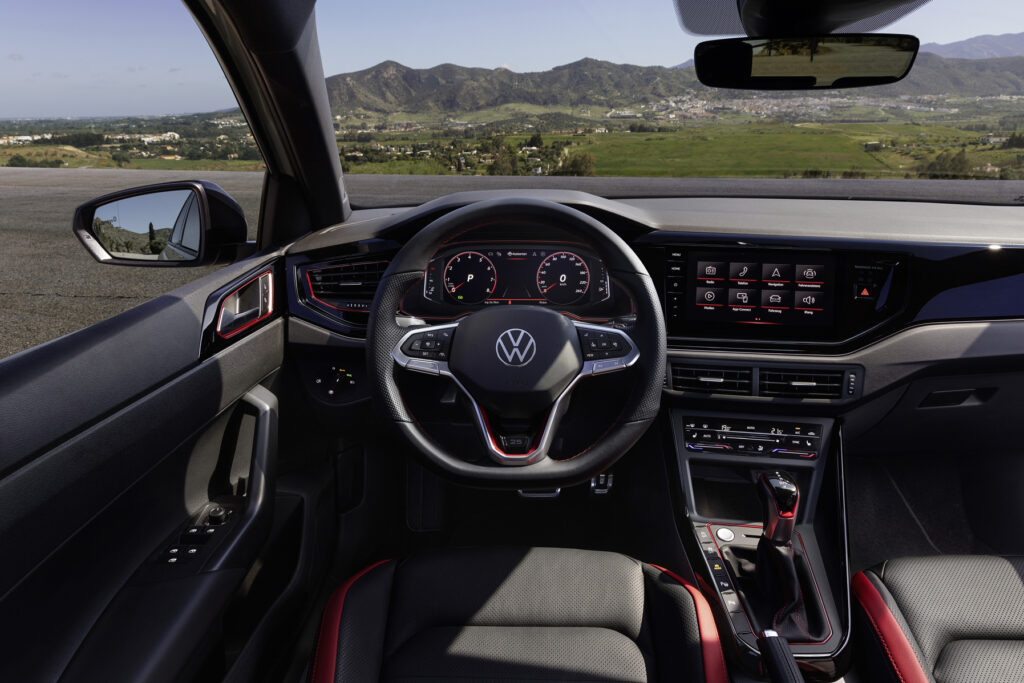
Screen failures, navigation glitches and slow touch response are common in older multimedia and infotainment systems in the Volkswagen Polo. These issues are usually related to outdated software, poor USB connections or hardware defects that appear over time. Most glitches can be solved with a software update or by replacing the USB cable. In more serious cases you have to replace the entire infotainment screen. Want to know exactly how to tackle these faults?
Which infotainment problems occur in the Polo?
The Volkswagen Polo was offered with more advanced infotainment systems from 2010 onwards, but in practice it is precisely these older generations that suffer from software bugs and sluggishness. Owners of Polos from the 2010 to 2014 period report that the touchscreen sometimes does not respond at all or freezes during use. As a result, functions such as navigation, radio and Bluetooth do not work or do not work properly. Newer models are not entirely spared either: smartphone integration via Apple CarPlay and Android Auto is a particular source of frustration.
The most commonly mentioned glitches are:
- Screen that stays completely black or no longer starts up after starting the car
- Navigation that unexpectedly freezes or does not load routes properly
- Slow-responding touchscreen, especially with older software versions
- Connection problems with Apple CarPlay or Android Auto, where pairing has to be re-established again and again
- Bluetooth pairing that is not stable or is regularly disconnected
These problems occur more often in Polos with the older generation of infotainment systems, but more recent models can also suffer from them. The difference is mainly in the software version and the hardware quality of the system installed.
‘ In many cases, it is a combination of several factors that together cause instability. ’
What causes glitchy multimedia?
The causes of glitchy infotainment systems in the Polo lie mainly in three areas: outdated software, hardware defects and poor connections with external devices. In many cases, it is a combination of several factors that together cause instability.
Outdated software and firmware
Volkswagen regularly releases software updates for infotainment systems, but not every Polo receives these updates automatically. If the software has not been updated, the system can become slow or show faults. This applies especially to systems that are five years or older. The firmware of the screen may then not work properly with newer smartphones or apps, causing functions such as Apple CarPlay to stutter.
Hardware defects in the screen or circuit board
In older Polos, the touchscreen itself can fail. This can be caused by wear, moisture or overheating. The circuit board behind the screen can develop loose solder joints. The display then no longer starts up or stays black. In some cases the screen still works, but the touch function no longer responds. Sometimes the touch function only responds in certain areas.
Poor USB cable or dirty port
Many connection problems with Apple CarPlay and Android Auto are caused by a poor, overly long or worn USB cable. The USB port in the car itself can become dirty. The port can also develop internal contact problems. Owners report that replacing the cable with a short, high-quality cable often already makes a big difference.

How do you fix a multimedia screen that keeps cutting out?
If the multimedia screen in the Polo regularly cuts out or stays black, you can take several steps. Always start with the simplest solution first. Then work step by step towards more far-reaching measures.
Reset the infotainment system
The first step is to restart the system. You do this by switching the car off completely, opening the door and waiting about five minutes. Then restart the car and check whether the screen works again. Some Polo models also have a hardware reset button or combination of buttons that allows you to restart the system without disconnecting the battery.
Check the software version and perform an update
Look in the settings menu of the infotainment system and read off the software version there. Compare this with the latest available version on Volkswagen’s website or ask your dealer. You can sometimes carry out software updates yourself using a USB stick with the correct files. In many cases, a visit to the dealer is required. The dealer can use special diagnostic software to check whether updates are available and install them.
Replace the USB cable and clean the port
If Apple CarPlay or Android Auto regularly cuts out, test another short, high-quality USB cable. Also carefully clean the USB port in the car with compressed air or a small, dry brush. Check that the cable fits fully into the port and is not loose.
Have the screen checked by a specialist
If the above steps do not produce any results, there is probably a hardware defect. Have the infotainment screen checked by a specialised auto electrician or at a Volkswagen dealer. In many cases the screen or the entire unit has to be replaced. The costs depend on the type of system and the availability of parts. This can range from several hundred euros to well over a thousand euros.
Known infotainment problems in Polos from 2010 to 2014
The Polo generations from the 2010 to 2014 period are known for specific problems with the infotainment systems that were offered at the time. These systems were often not yet fully developed for intensive use of smartphone integration and navigation, which makes them more vulnerable to faults.
Common problems with these models are:
- The system starts slowly or not at all after starting the engine
- Navigation does not load maps correctly or freezes while calculating the route
- Radio regularly cuts out or switches unexpectedly to another source
- Bluetooth connection with the phone is not stable, especially when switching between calls and playing music
- MirrorLink function only works with certain phones and has to be reactivated frequently
In many cases, these problems can be traced back to the combination of limited processing power in the infotainment screen and software that is no longer updated. For some models Volkswagen released software improvements in the past, but not all Polos actually had these updates installed.
‘ Older systems almost always require dealer software and cannot be updated without assistance. ’
Carry out a software update for Polo navigation yourself?
You can, to a limited extent, carry out a software update for the navigation or the entire infotainment system yourself. This strongly depends on the type of system. Check which system is installed in your Polo. Newer systems, such as Ready 2 Discover, sometimes offer the option of downloading updates via a USB stick or online. Older systems almost always require dealer software and cannot be updated without assistance.
When can you carry out an update yourself?
If your Polo is equipped with a system that supports over-the-air updates or accepts updates via USB, you can install these yourself. Download the correct update files from the official Volkswagen website. Then put them on a formatted USB stick. Next, follow the instructions in the infotainment system menu. Make sure that the car is switched on during the update process and that the battery has sufficient charge.
When do you need the dealer’s help?
With older Polos from the 2010 to 2017 period, specialist software is almost always required to update the infotainment system. The dealer has diagnostic equipment that can read the current software version and safely install new firmware so that the system does not completely crash or become damaged by a failed update. You also often need dealer support to activate certain functions, such as navigation or online services.
Practical tips to prevent infotainment problems
In addition to resolving existing faults, you can prevent problems with a few simple measures. Prevent the infotainment system in the Polo from developing faults by carrying out regular minor maintenance on the system; this increases its service life and stability. Conscious use of the functions also increases its service life and stability.
- Check at every service whether new software is available and have it installed
- Always use a short, high-quality USB cable for Apple CarPlay or Android Auto
- Avoid leaving the screen in bright sunlight for long periods, as this accelerates ageing of the display
- Before buying a used Polo, test all the functions of the infotainment system with your own smartphone
- Carefully clean the USB port regularly with compressed air
- Allow the system to start up fully before pairing a smartphone or loading navigation
If you are unsure about the condition of the infotainment system, you can have a diagnosis carried out at a specialist garage or a Volkswagen dealer. This gives you an insight into the software status and any hardware problems that may arise in the short term.
Want to know more about the Volkswagen Polo?
On the Carnews website you can find extensive information about common car problems, maintenance tips and experiences with the Volkswagen Polo and many other models. Whether you want to know more about engine problems, electronics or maintenance costs, there is always an article that answers your question. Discover more useful tips and facts and stay up to date with what is going on in the motoring world.
Frequently asked questions
The most common causes are outdated or incorrect software versions of the infotainment system, which make the touchscreen slow to respond or cause it to freeze. In addition, poor or overly long USB cables and unstable Bluetooth connections often lead to glitchy Apple CarPlay or Android Auto connections. The limited stability of smartphone integration under heavy use (several apps/functions at the same time) also regularly leads to faults. In some cases, non-activated or retrofitted functions (such as navigation) play a role, as they can put extra strain on the system.
You can often reset the system by holding down the on/off button (or volume/power button) of the infotainment screen for several seconds until the logo appears again. Then check that your phone and cable (for Apple CarPlay/Android Auto) are working properly, and preferably use a short, original USB cable. Look in the menu to see whether a software version is shown and note it down so you can check with the dealer if an update is available. If the problem persists, delete all paired phones and Bluetooth devices and pair your device again to rule out connection errors.
For the infotainment problem described with the Volkswagen Polo there are no specific official recalls known, but Volkswagen does regularly release software updates via the dealer to reduce glitches and compatibility issues. In some cases these updates are carried out free of charge within the warranty period or during regular servicing, but this can vary per dealer and situation. It is therefore advisable to contact an official Volkswagen dealer with the chassis number to ask whether there are any outstanding software campaigns or service actions for the Polo in question.
The repair costs for a glitchy infotainment system vary widely, but at a dealer or main dealer you are quickly looking at several hundred euros, and if the unit or screen has to be replaced, even towards (well) over a thousand euros. Often they start with relatively inexpensive steps such as software updates, resets or replacing a USB module or cable, but if the main unit is defective, it becomes really expensive. An aftermarket system (for example a 2-DIN unit with CarPlay/Android Auto) is often cheaper than a complete OEM replacement, while giving you more modern features in return. The downside is that you may lose some seamless integration with the car (steering wheel controls, trip computer, parking sensor display) and you must factor in installation costs and adapter modules.
Make sure the latest software/firmware update for the infotainment system is installed and explicitly ask the dealer to check this during servicing. Use a short, good-quality USB cable for Apple CarPlay/Android Auto and avoid damaged or cheap cables. Pair your phone again and remove old, unused paired devices from the system to prevent conflicts. If the system still freezes, carry out a full restart (switch the car off, open the door, wait a moment) and then check again for updates.