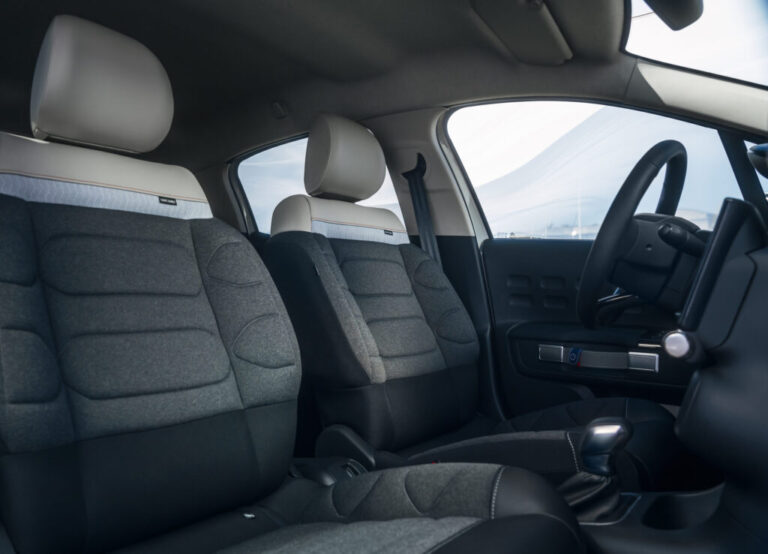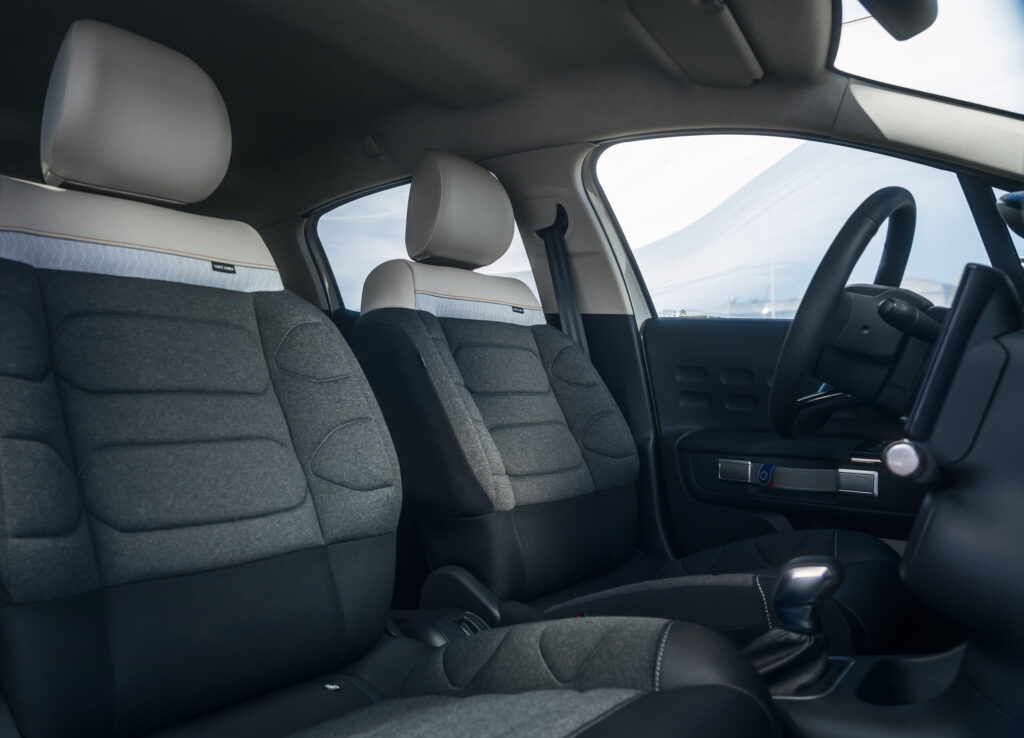
Interior rattles and Bluetooth faults in the Citroën DS3 often go hand in hand in older examples, but they call for two different diagnoses: a rattle is usually mechanical, while Bluetooth problems are often in the pairing, software or head unit. Anyone who listens carefully on a test drive and checks all functions can stop a minor annoyance from becoming a time-consuming hunt later. These checks show you what to look out for.
Checking a Citroën DS3 during the test drive
With a used Citroen DS3, a short drive on smooth tarmac is not enough. Also choose cobbles, speed humps and a stretch of road with repair joints. That is precisely where you will hear play in dashboard parts, air vents and loose fixing clips.
Test Bluetooth by pairing a phone and calling someone. Check whether the other person can hear you properly, then try playing music. According to the official Citroën handbook, calls and audio streaming may use separate Bluetooth profiles. A phone can therefore make calls without any issue, while music streaming is unavailable.
If possible, take a second phone on the test drive. That lets you distinguish between a problem in the DS3 and an incompatibility or setting on one smartphone. If both phones fail, a fault in the radio, Bluetooth module or microphone becomes more likely.
Why does the interior of a Citroën DS3 rattle?
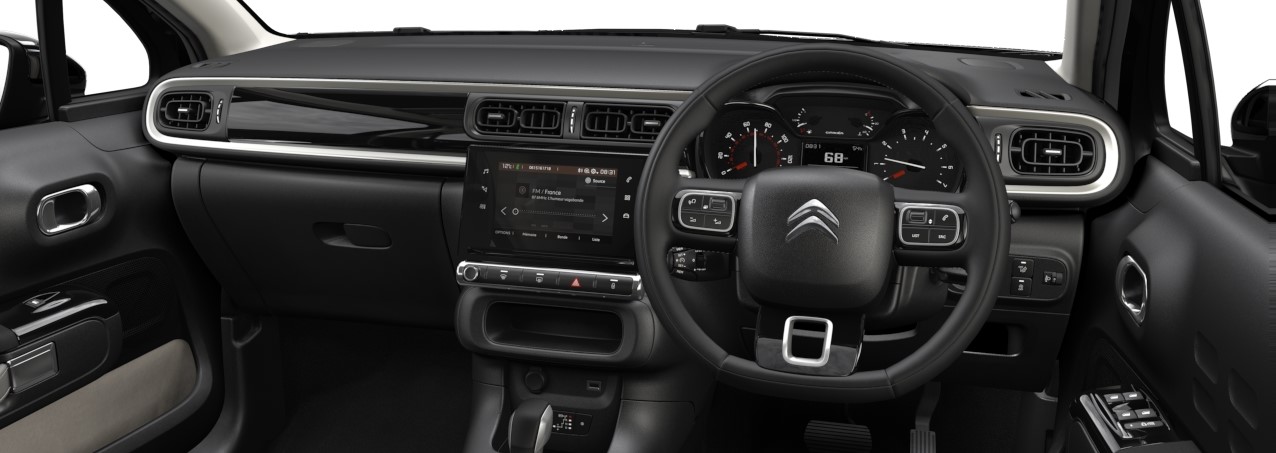
The DS3 has a lot of hard plastic parts in the dashboard and around the centre console. Over time, minimal play between panels, clips and trim strips can cause a rattle. The noise often sounds as if it is coming from the dashboard, but it can also be transmitted from an air vent, screen surround or cable behind the radio.
The most common places for interior rattles in a Citroën DS3 are:
- the dashboard fascia around the central air vents;
- the surround of the radio or MyWay screen;
- the side vents and adjustable vanes;
- the trim around the glove compartment;
- loose cables or connectors behind the head unit;
- the trim on the tailgate or boot area, which can carry noise forwards.
A quick test helps to pinpoint the source. While driving, ask a passenger to gently press on a suspect trim strip or grille. If the rattle changes or disappears, the cause is probably in that panel or its mounting. Never press on the dashboard yourself while driving.
A rattle is not always a dashboard problem
Switch off the radio and heater fan to isolate the source more clearly. If the noise remains, it is more likely to have a mechanical cause than to be a speaker or fan issue. If the rattle changes with the fan speed, check the blower housing, air ducts and loose cover panels.
If a vibration only occurs at a particular engine speed, look outside the cabin as well. A loose heat shield, a fixing in the engine bay or a number plate holder can be heard through the bodywork in the dashboard. That check prevents unnecessary stripping of the interior.
Are interior rattles normal in a used Citroën DS3?
A light creak or rattle on poor roads is common in an older used DS3 and is not immediately a reason to reject the car. However, it should not be a constant hard knock. Pay particular attention to noises that happen over every bump, clearly come from several panels or are accompanied by loose trim.
Also check whether previous repairs have been carried out neatly. A panel that does not sit flush, damaged clips or thick tape behind trim pieces may indicate a previous attempt to hide a rattle. Felt tape or thin foam on a contact point can be a good repair, but only when broken clips have first been replaced.
Always use plastic trim tools for removal. A metal screwdriver can quickly damage the edge of a panel, after which new creaks can arise. Silicone spray or oil in air vents is not a good solution either: it attracts dust and does not address the play.
What to do if Bluetooth in a Citroën DS3 is not working
Bluetooth complaints in the DS3 vary by radio version, model year and phone. Common symptoms include a failed PIN code, a connection that drops out immediately, being able to make calls but not stream music, or the other person hearing nothing. According to the official handbook, pairing should be done with the car stationary and the ignition on.
Deal with a Bluetooth fault in this order:
- Remove the DS3 from the phone’s Bluetooth list.
- Delete saved phones from the radio system.
- Temporarily switch off Bluetooth on the phone.
- Switch the car fully off, lock it and wait a few minutes.
- Start the car again and make the phone visible to other devices.
- Pair again and allow both calls and media audio.
- First test hands-free calling and then music streaming separately.
This approach is especially useful if the DS3 keeps remembering old devices or can see a new device but will not accept it. Check that the phone is not connecting automatically to another car, headset or smartwatch. Also check the media volume on the smartphone, as this is separate from the radio volume.
Bluetooth works, but the microphone does not
A working connection does not mean all components are functioning properly. If music plays but the person you are speaking to cannot hear you, first check the microphone opening and test with a second phone. If the complaint remains the same, the microphone, wiring, software or the Bluetooth module itself may be the cause.
A problem that returns with several phones is usually not solved by pairing again. In that case, ask a Citroën specialist to read the radio and vehicle modules. Workshop diagnosis data for this kind of complaint shows that a stuck module, an incorrect pairing in the system or outdated software is then more likely than a faulty smartphone.
‘ Pulling a random fuse is not advisable, because it can cause faults in other functions. ’
A reset may help, but not always
When Bluetooth has suddenly disappeared or the radio no longer responds, a power reset of the system may help. On some DS3 versions, this is done by temporarily removing and refitting the radio fuse. That can erase saved settings, including the time, date, radio stations and paired devices.
Always consult the handbook for the specific DS3 first for the correct fuse number. Switch off the engine, remove the key and wait for the electronic systems to shut down. Pulling a random fuse is not advisable, because it can cause faults in other functions.
If Bluetooth keeps cutting out after a proper reset, or if USB, steering wheel controls and the radio all work erratically at the same time, book a diagnosis. Ask the workshop specifically to check the software version, head unit, Bluetooth module and microphone. That way you avoid pairing the phone again while the cause remains in the car.
Targeted checks prevent surprises
Interior rattles and Bluetooth faults do not automatically make a Citroën DS3 a bad buy, but they do deserve attention before purchase. Combine a test drive over poor roads with a full test of calling, streaming and the microphone. On the Carnews website you will find much more information about known car problems, used models and technical points to watch. Find out more on Carnews before you choose your next car.
Frequently asked questions
Locate the resonance during a repeatable test drive by having a passenger press deliberately on parts of the centre console. Remove the panels with plastic trim tools, replace damaged clips and apply thin self-adhesive felt, foam tape or anti-rattle material to contact surfaces. Secure loose cables, ventilation ducts and the infotainment unit properly, without using thick tape or sealant. If the resonance occurs only at certain revs, also check engine mounts and heat shields.