
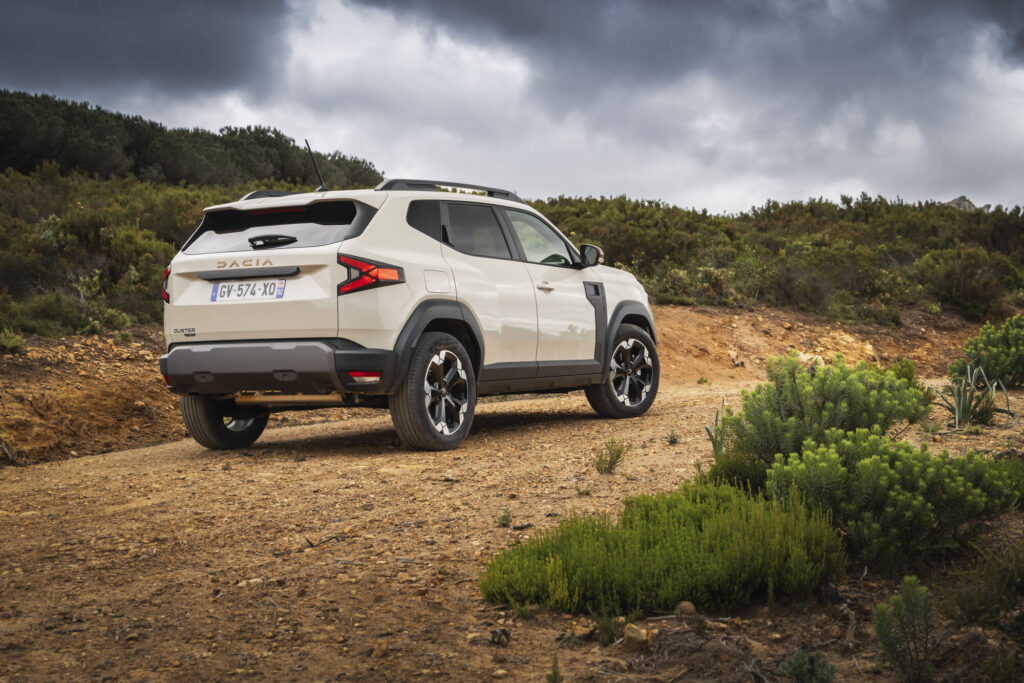
The Dacia Duster regularly suffers from faults in the navigation system and onboard computer, often caused by software issues or loose wiring connections. Owners report dashboard failures, frozen screens and cameras that do not work or keep hanging. What are the causes and how do you fix these annoying faults?
Navigation screen cuts out or stays black
For models from 2016 onwards, many owners report a completely black or frozen navigation screen. This problem often appears after 70,000 kilometres and sometimes goes hand in hand with failure of the audio system. The cause is often defective wiring connections behind the dashboard that control both systems.
First check the fuses before you start dismantling the dashboard. Another commonly used trick is resetting the system by disconnecting the battery for 10 minutes. If this does not work, it often helps to look behind the dashboard for loose plugs. According to user experiences on forums, this already solves the problem in 70% of cases.
Software desynchronisation or electromagnetic interference can also be the culprit. A software update via the dealer can then offer a solution. Avoid cheap aftermarket navigation upgrades, as these actually cause additional faults.
Onboard computer starts slowly or cuts out completely
The onboard computer of the Dacia Duster can start up slowly or cut out while driving. This manifests itself as a black dashboard or warning lights that stay on. On forums, owners complain of recurring blackouts after rain or cold starts, which points to moisture- or temperature-sensitive connections.
Start by checking the wiring and fuses. A simple battery reset already often helps. To do this, disconnect the negative terminal for 10 minutes. If problems persist, it is wise to check the wiring connections behind the dashboard for loose or corroded contacts.
Note that some faults do not directly indicate a hardware problem. Temporary warnings can also be caused by sensor failures. Switch the car off and restart the system. If the lights stay on, have a specialist read out the fault codes with an OBD scanner for an accurate diagnosis.
Common warning messages on the dashboard
The onboard computer displays various warning lights that remain stored, even if they disappear quickly after pressing a button. Important messages that require attention are:
- Water in fuel filter: stop immediately and consult a dealer for urgent repair
- Fault in pedals, battery management or oil level: may indicate a defective sensor
- Additional safety features: risk that airbags will not deploy in an accident
- Emergency call system: important for safety, have this inspected by the dealer
Do not ignore these lights. Some faults temporarily disappear when you switch the car off, but if warnings persist, professional inspection is needed to prevent more expensive damage.
Reversing camera does not work or stays on
Another frequently heard complaint is a reversing camera that does not respond or continues to operate after you shift out of reverse. This may be due to a software error in the infotainment system, but also to a broken cable in the tailgate.
First check whether the camera image appears when you engage reverse. If the screen stays black, the culprit is often the wiring connection between the tailgate and the body. This cable runs through the hinge and can break or get pinched due to repeated opening and closing.
Does the camera stay frozen instead? Does the image not switch off after you disengage reverse? Then the cause usually lies in the software. A reset of the multimedia system via the settings menu or by disconnecting the battery often solves this. If this does not help, a software update at the dealer is recommended.
Useful tips for prevention and quick fixes
Regular checks keep your Duster’s electronics reliable. Update the software during routine servicing at the dealer and check the wiring annually. Do you use the car off-road? Vibrations and dust easily loosen cables.
You can often solve minor issues yourself. A battery reset is simple and usually clears temporary faults. For more complex electronics such as the navigation system and onboard computer, it is wiser to call in a specialist. This prevents more expensive damage.
Quick solutions for common problems
- Dashboard failure: check the fuse and reset the battery by disconnecting the negative terminal for 10 minutes
- Frozen navigation screen: switch the system off via the settings menu or disconnect the battery
- Camera does not respond: inspect the wiring connection in the tailgate hinge for breaks or wear
- Battery discharges quickly or card not recognised: place the key card on the start zone and press the start button, or unlock manually with the built-in key
Use the selector button on the dashboard to view trip information (data on distance travelled, fuel consumption and speed) and messages. This lets you reset journey data without having to navigate complicated menus. With stubborn faults, it is wise to read out fault codes so you know exactly what is going on.
‘ Modern car electronics are sensitive, and incorrect interventions can lead to more expensive repairs. ’
When to see a specialist and when to do it yourself
Not all faults require a visit to the garage. Simple checks such as inspecting fuses, tightening cables and resetting the battery can be done yourself. This saves time and money and already solves the problem in many cases.
For more complex electronic faults in the navigation system or onboard computer, professional help is a better choice. Modern car electronics are sensitive, and incorrect interventions can lead to more expensive repairs. Always have a specialist check persistent warning lights as well. They may point to underlying problems with sensors or control modules.
Would you like to know more about maintenance or faults on the Dacia Duster? Take a look at our other articles with practical tips for tracing and fixing problems on these models.
Frequently asked questions
The most common “symptoms” are a black or frozen screen, the navigation and audio system shutting down or restarting spontaneously and the complete dashboard display temporarily cutting out. There are also messages or warning lights (for example faults in pedals, battery management or safety features) that appear briefly and then disappear again, but do remain stored. In addition, users report that the system produces unpredictable blackouts especially after cold starts or after rain. In many cases, loose cables or a software error turn out to be the underlying cause.
First check the fuses of the infotainment system and replace any blown fuses. Then disconnect the battery for 10 minutes to fully reset the system and see whether the screen starts up again afterwards. Check the cables and plugs behind the radio/navigation unit for looseness and push them firmly into place. For now, avoid aftermarket navigation or audio upgrades, as these can make faults worse.
Yes, there are various software and firmware updates available for the Dacia Duster that can reduce or fix faults in the onboard computer and navigation. In particular, updates via the official dealer often resolve software desynchronisation, error messages and crashes of the multimedia system. Firmware updates for the navigation system (such as MediaNav/MediaNav Evolution) can also fix problems with a black or frozen screen. In the case of recurring faults, it is advisable to ask the dealer whether specific updates or recalls are available for your model year and system version.
Repair costs for the onboard computer or navigation system of a Dacia Duster can range from a cheap DIY solution (checking fuse/wiring, sometimes under €100) to more expensive work such as replacement or extensive diagnostics, which can cost several hundred euros. For relatively new cars and known factory issues, these faults are often (partly) covered by the manufacturer’s warranty or goodwill from the dealer. For older vehicles or damage caused by external factors (moisture, self-installed equipment, aftermarket systems), the costs are usually fully borne by the owner. Therefore always have the dealer first assess whether it can be treated as a warranty issue.
Prevent faults by having the software of the infotainment system regularly updated by the dealer and by having the cables and plugs behind the dashboard checked at least once a year, especially after extensive off-road use. Keep moisture and dirt out of the interior and around the centre console, and avoid pinching or pulling on cables when using accessories or phone chargers. Do not use cheap aftermarket navigation or multimedia modules that may interfere with the original system. In the event of a system crash, you can often help temporarily by disconnecting the battery for about 10 minutes to “reset” the system; if the problem keeps coming back, have the wiring and fuses professionally checked.
For Dacia Dusters from around model year 2016, the most frequently reported issues involve the onboard computer and the integrated navigation/multimedia system, such as a black or frozen screen and complete failure of audio and navigation. These complaints occur mainly in cars with higher mileage (around or above 70,000 km) and are largely attributed to loose plugs or cables behind the dashboard in combination with software errors. As far as can be seen from the available information, there have been no broad, specific recalls aimed solely at onboard computer or navigation problems in the Duster. Problems are generally resolved on a case-by-case basis through dealer repairs and software updates, not via a general recall campaign.