
Electronics and infotainment faults in the BMW 2 Series Active Tourer are a known issue. This mainly occurs after 40,000 to 80,000 kilometres. The good news is that software updates solve many of these problems. Expensive hardware then doesn’t need to be replaced. Discover which faults occur most frequently and how you can fix them yourself.
Which infotainment faults are most common?
Owners of the BMW 2 Series Active Tourer regularly report problems with the iDrive system, BMW’s central infotainment system. This applies to the F45 and F46 generations. The screen constantly restarts, suddenly shows no picture anymore or simply doesn’t respond to touches. These faults affect not only navigation and entertainment, but also Bluetooth connections and other important functions.
The problems often get worse in extreme temperatures or after the car has been parked up for a longer period. Many owners notice that their infotainment system suddenly cuts out while driving, sometimes with blackouts that can last for hours. This is even more common in plug-in hybrid models.
Do you recognise these symptoms?
The iDrive system gives various signals when something is wrong. The most common symptoms are:
- Restart loop: the system keeps restarting without fully loading
- Black screen: the display shows the message ‘No Signal’ or stays completely black
- Frozen screen: the picture freezes and no longer responds to inputs
- No sound: audio no longer works, regardless of the source
- Connection problems: navigation and Bluetooth do not function correctly
- Black circles on the screen: burn marks or spots that indicate hardware damage
iDrive fault in BMW 2 Series Active Tourer caused by software or hardware
The causes of infotainment problems are varied. Software bugs, corrupted files or outdated firmware cause most faults. This explains why an update often already helps.
On top of that, hardware defects can be the culprit. Think of defective control units, damaged LVDS cables (special high-frequency data cables for image transfer), broken HDMI or USB ports, a faulty amplifier or a damaged LCD screen. These problems require physical repair or replacement of parts.
External factors also play a role. Low battery voltage often triggers restart loops, while loose connections or poor Wi‑Fi connections can disrupt updates. User errors during software updates can even completely block the system.
Solving BMW 2 Series electronics problems with simple resets
Before going to a garage, you can first try a few steps yourself. Many owners report that simple resets already solve 70% of reboot problems.
Performing a soft reset
Press and hold the volume or power button for 20 to 30 seconds. The screen will go black and restart automatically. This method often solves temporary software errors without you losing personal settings.
Hard reset for stubborn problems
For persistent faults, hold the button down for up to 70 seconds. The system will then perform a double restart. Afterwards, delete personal data via the settings to remove any corruption. Note: this will erase stored preferences and paired devices.
Power cycle as a last resort
Disconnect the battery for a full reset of all electronics. This often restores communication between modules. Make sure you have the radio codes and other security codes to hand before you do this.
‘ A failed update can completely block the system, which can only be repaired with professional equipment. ’
BMW 2 Series infotainment reset through advanced diagnostics
If simple resets do not help, more advanced steps are required. Check all cable connections, especially the LVDS cables (special high-frequency data cables for image transfer) and display cables. Loose or damaged cables often cause signal loss.
Scan the system for fault codes with an OBD2 scanner, a diagnostic device that reads error codes via a port in the car. Code U0126 (an electrical fault code that indicates communication problems between modules), for example, points to loss of module communication. This information helps with targeted repairs. Also check the fuses for burn marks, which can indicate electrical problems.
Software updates as a structural solution
Update the software via the BMW Connected app if you have a model from 2021 onwards. For older models, a dealer reflash is needed to apply bug fixes and improvements. These updates solve many known software issues and prevent future faults.
Avoid doing updates yourself if you are unsure about the process. A failed update can completely block the system, which can only be repaired with professional equipment. If in doubt, it is better to leave this to a BMW dealer.
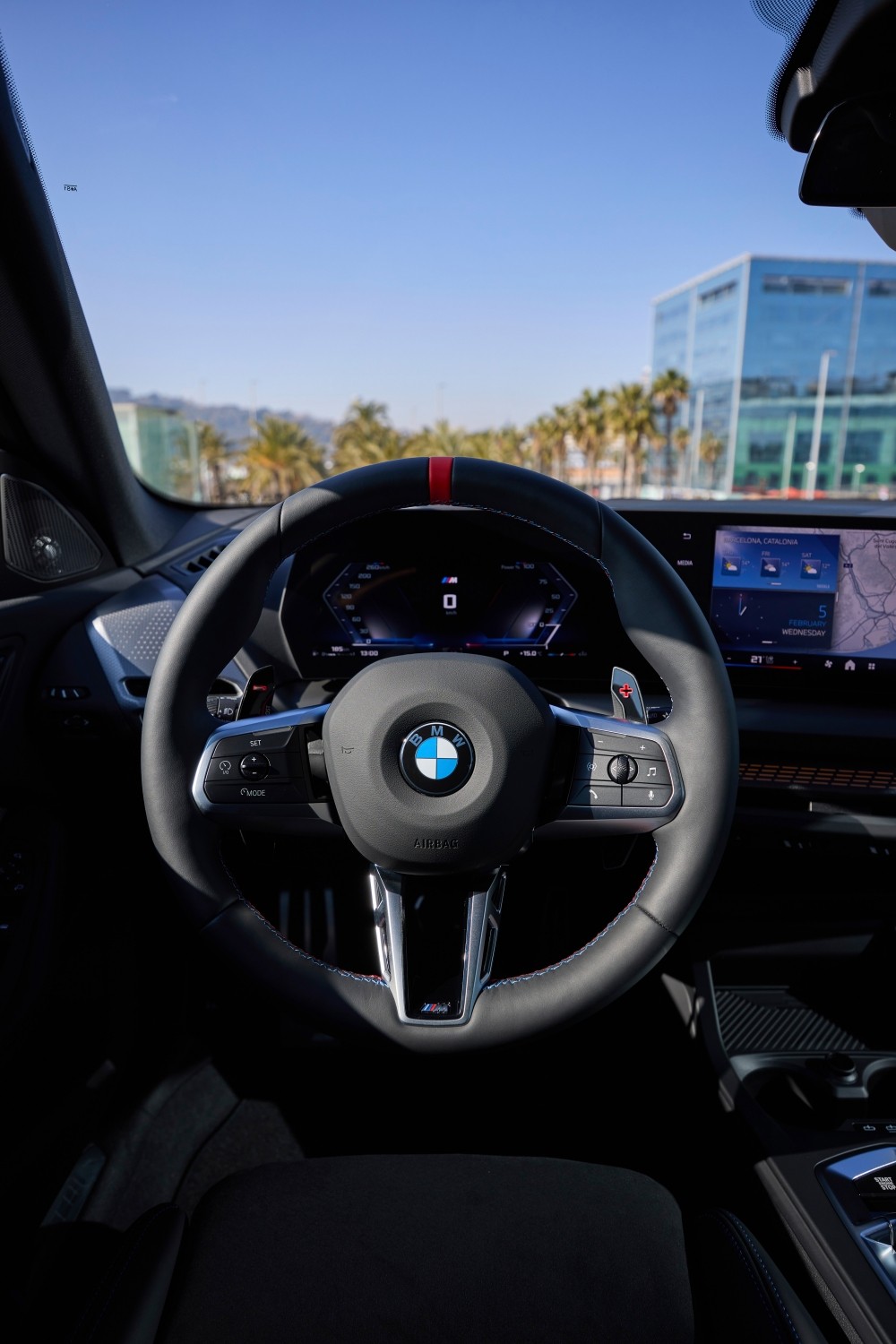
Replacing the LCD screen in case of hardware damage
Do you see black circles or burn marks on the screen? Then the LCD screen is defective and needs to be replaced. This requires disassembly of the dashboard, replacement of the screen and thorough testing before refitting.
This is a job for specialists. Incorrect installation can cause new problems or damage other components. Expect costs between 500 and 1,000 euros, depending on the model and where you have the repair carried out.
Prevention and maintenance for stable infotainment
Run diagnostics annually with BMW-specific tools. This detects fault codes and available updates before they lead to malfunctions. Regular maintenance prevents many problems.
Regularly check the battery health. A good battery prevents 80% of glitches, because low voltage triggers restart loops. Replace the battery in good time at the first signs of weakening.
Keep the system up to date. Regular software updates keep the infotainment stable and introduce improvements. Schedule updates as part of routine maintenance to prevent compatibility issues.
Use a factory reset (a full factory settings restore that deletes all data and settings) only as a last resort on newer systems. This action wipes all data and settings, but can resolve stubborn software issues that cannot be fixed in any other way.
‘ DIY repairs can void the warranty. ’
What owners report about infotainment problems
On forums, owners share their experiences. Many report that the infotainment suddenly cuts out during journeys, particularly in hybrid versions. The blackouts sometimes last for hours and keep coming back until the cause is fixed.
According to forum users, resets solve around 70% of reboot problems. If complaints persist, hardware replacement is often needed, especially after 50,000 kilometres. Costs vary greatly, but are usually between 300 and 1,500 euros.
Owners advise going straight to a BMW dealer if issues persist. DIY repairs can void the warranty. An in-depth diagnosis by professionals often uncovers problems that are not visible with standard tools.

Want to know more about BMW 2 Series problems?
On the Carnews website you will find extensive information about other known problems with the BMW 2 Series Active Tourer. From engine issues to maintenance tips and owner experiences, everything is clearly laid out for you. Find out more and stay up to date with the latest developments concerning your car.
Frequently asked questions
The most common infotainment problems in the BMW 2 Series Active Tourer are restart loops of the iDrive system, a black or frozen screen with “No Signal”, no sound or no response to touch/buttons, and unreliable navigation and Bluetooth connections. You recognise a restart loop because the screen repeatedly turns off and back on while driving or after starting. A black or frozen screen shows as a permanently dark screen, a static BMW logo or a “No Signal” message, sometimes preceded by flickering. You notice problems with sound and connections through cutting out audio, a phone that will not pair, or navigation that freezes or keeps restarting.
Yes, many common infotainment problems (freezing, black screen, slow or non-responsive controls) can often be temporarily resolved with a simple reset. Press and hold the volume/on-off button for 20–30 seconds until the screen goes black and the system restarts; if that does not work, hold the button for about 70 seconds for a hard reset. Then check in the menu or via the brand app whether a software update is available and follow the on-screen instructions step by step, preferably with the engine running or the car charging to avoid a voltage drop. If the issues keep returning after a reset and update, diagnosis at the dealer or a specialist is probably necessary.
Recurring infotainment problems are usually caused by outdated or corrupted software, low or unstable on-board voltage (battery), and sometimes by wear or defects in hardware such as control units, cables or the screen. Poor (Bluetooth/Wi‑Fi) connections and interrupted updates can also cause slow response and dropouts. Prevent this by having the software updated in good time (preferably via the dealer), having the battery condition checked and having a diagnostic check for fault codes carried out once a year. Avoid half-finished DIY updates, check cable connections after previous faults and have persistent problems professionally read and repaired.
It is necessary to go to a dealer or specialist with infotainment problems when resets and simple checks (such as the battery and cables) do not solve the issue, or when the screen stays black, continually restarts or cuts out while driving. With suspected hardware defects (display, control unit, amplifier) or fault codes in the diagnostic report, professional diagnosis is also needed, partly to avoid risking your warranty. The average costs for repairs outside warranty are often in the hundreds of euros, especially when replacing the screen or head unit. Within the factory or extended warranty, software updates and many hardware defects are usually covered free of charge.
Yes, there are usually software updates available for the infotainment system of the BMW 2 Series Active Tourer, for example via the BMW Connected app or at the dealer, which fix bugs and sometimes offer extra features or better stability. In addition, the dealer can carry out a so‑called “reflash” or firmware update of the iDrive/infotainment module in the case of known faults. Hardware upgrades are more limited and are often only sensible if a component is defective (such as the LCD screen or a control unit), in which case these are replaced by a new, sometimes improved, unit. For the exact options and compatibility with your model year and equipment, your dealer will need to check the VIN.