
Radio and Bluetooth systems that suddenly freeze, volume controls that do not respond, and phone calls that shut down the entire infotainment system: these infotainment and Bluetooth faults occur regularly in modern cars. The problem is often caused by overloaded device lists, outdated software or interference from other wireless signals. Fortunately, you can resolve most faults yourself with a few simple steps.
Why does the infotainment system keep freezing?
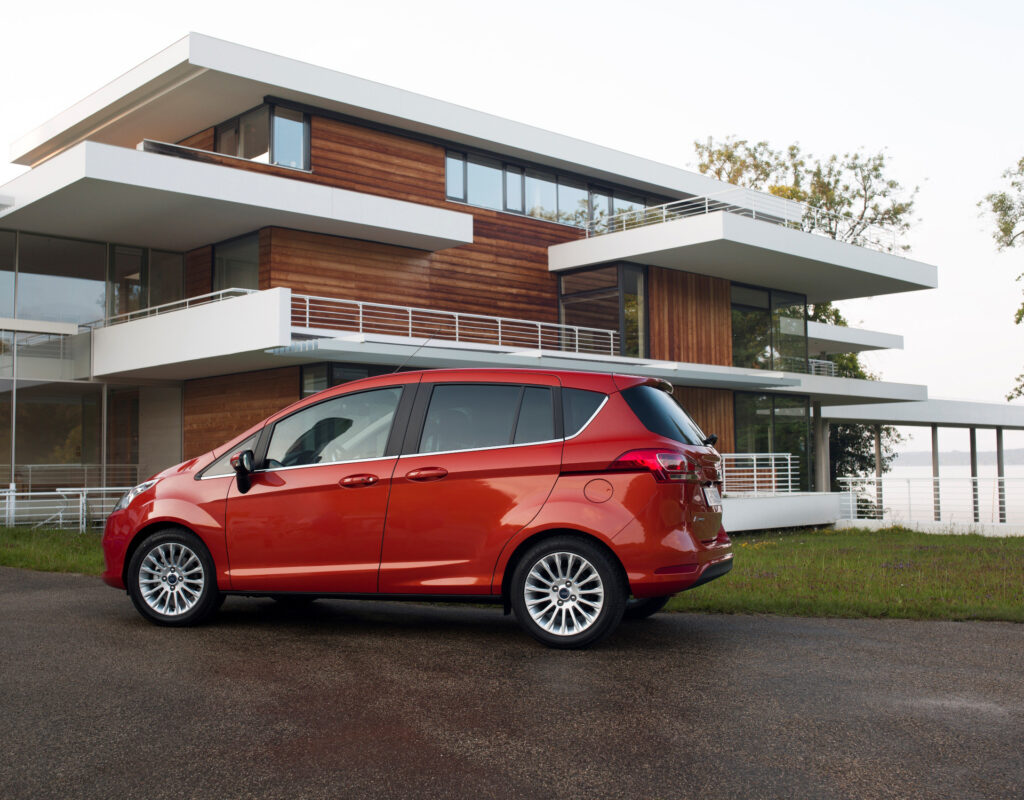
A frozen infotainment system is usually caused by software issues. The system becomes overloaded when too many devices remain paired or when a firmware update contains errors. In models such as the Ford B-Max, SYNC-specific bugs cause sluggish behaviour and system crashes, especially with older versions from 2012 to 2018.
The maximum number of paired devices differs per system. Bluetooth systems in modern cars often support up to 5 to 8 phones at the same time. Every extra device in the list takes up memory. With every connection attempt, the system has to scan all stored devices, which slows the process down and can cause freezes.
Interference also plays a role. Bluetooth operates at 2.4GHz, the same frequency as Wi‑Fi routers, cordless phones and microwaves. Metal objects in the car further block the signal. This explains why the connection sometimes drops in car parks or at petrol stations with a lot of electronic equipment nearby.
How do you reset the radio system effectively?
A full reset resolves most software problems. Follow these steps for a thorough approach:
- Switch Bluetooth off on both the phone and in the infotainment system
- Switch off the engine and wait 30 seconds
- Restart the car and switch the system back on
- Remove all old pairings from the infotainment menu
- Delete the car pairing from the phone as well via Settings > Connected devices > Forget
- Pair the devices again following the manufacturer’s instructions
Some systems have a hardware reset function. You do this by holding two specific buttons down at the same time, often the on/off button and the volume button. Check the manual for the exact process for your model. Note: a reset deletes all stored preferences, radio stations and paired devices.
Is Bluetooth always reliable in modern cars?
Bluetooth connectivity is stable in many cases, but older systems suffer from reliability issues. Cars with Bluetooth 4.0 or earlier more often show connection drops, especially when the phone switches between calls and music. This is because different Bluetooth profiles are active: the hands‑free profile for calls and the A2DP profile for music streaming.
Many owners report that media audio suddenly stops while calling still works normally. This is due to disabled settings on the phone. Go to the Bluetooth settings, select the car name and check whether Media audio is enabled. Without this setting, the phone only sends calls to the system, not music or navigation instructions.
A full device list causes priority conflicts. The system tries to connect automatically with the last used device, but sometimes switches between several phones nearby. Remove rarely used devices to free up space and prevent confusion. Keep a maximum of two active pairings for optimum performance.
Is this a software or a hardware problem?
In 90% of cases, it is a software issue. Firmware updates from the car manufacturer resolve known bugs and improve compatibility with newer phones. Ask your dealer whether updates are available for your infotainment system. Some brands offer updates via SD card or USB stick, others require a visit to the workshop.
Hardware problems are rarer but do occur. Signs of a defective Bluetooth module include:
- The system no longer recognises any devices at all, even after a reset
- Other functions such as radio and navigation work perfectly, only Bluetooth fails
- The screen shows error messages about Bluetooth hardware
- Several phones cannot pair, even after deleting the list
With hardware defects, professional diagnosis is required. A garage will test the Bluetooth module with specialised equipment. Replacing the module costs between 200 and 600 euros, depending on the make and model. First check whether your warranty or a manufacturer campaign covers these costs.
‘ It only takes a minute but prevents a lot of frustration. ’
Practical tips to prevent faults
Preventive maintenance keeps the system in good condition. Regularly update the operating system on your phone, as new iOS and Android versions contain improved Bluetooth drivers. After each phone update, test whether the car pairing still works. Sometimes you need to pair again after major updates.
Reduce interference by switching off other wireless devices in the car while pairing. Temporarily switch off Wi‑Fi hotspots and NFC on the phone. This gives the Bluetooth signal more bandwidth and increases the chances of success during the initial pairing process.
Check the battery status of the phone. A nearly empty battery activates power‑saving modes that limit Bluetooth performance. Charge the phone before longer journeys during which you want to use phone calls or navigation via the infotainment system.
Re‑pair on a weekly basis if you drive the same route every day with the same phone. This prevents old connection data from becoming corrupted by repeated automatic pairings. It only takes a minute but prevents a lot of frustration.

When should you go to the garage?
Some problems require professional help. Visit the dealer when a full reset and firmware update do not help. The garage has diagnostic equipment that reads fault codes from the infotainment system. These codes pinpoint the defective component.
Professional diagnosis is also advisable if there are ongoing problems with several functions at once. When radio, navigation and climate control all freeze, the cause often lies deeper in the central computer system. This requires specialised knowledge and tools that only garages have.
Ask about known problems with your model. Some brands issue quiet manufacturer campaigns for structural software issues. These updates are free but are not always actively communicated to owners. A quick question at the dealer can sometimes result in a cost‑free solution.
Alternative solutions for persistent problems
When Bluetooth does not work reliably, a wired connection can be the answer. Many cars have a USB port that both charges and streams media. This is more stable than wireless connections and uses less battery power from the phone. The downside is the loss of freedom of movement in the car.
For calls, a headset remains an option. Modern Bluetooth headsets connect directly to the phone and bypass the infotainment system completely. This works particularly well for commuting where you mainly make calls and listen to less music.
Consider an external Bluetooth adapter if the built‑in system is too old. These adapters plug into the AUX input or cigarette lighter and offer more modern Bluetooth versions with better stability. They cost between 20 and 60 euros and resolve compatibility problems with new phones.
On the Carnews website you will find much more information about infotainment problems, software updates and electronic faults in different car brands. Discover practical tips and experiences from other car enthusiasts to get the most out of your car.
Frequently asked questions
The most common causes are outdated or faulty software/firmware in the infotainment system and the phone, and overloaded or corrupted Bluetooth device lists in both car and smartphone. In addition, settings issues (such as disabled media audio or power‑saving options on the phone) often lead to sound drop‑outs or no connection at all. Wireless interference (other 2.4GHz devices, metal structures) can also disrupt the Bluetooth connection. Finally, sometimes hardware issues or unstable power supply to the infotainment system play a role.
Start with a basic reset: restart both your phone and the infotainment system and switch Bluetooth off and on again. Then delete all old paired devices on both your phone and the car system, and pair your phone again. Check in your phone’s Bluetooth settings whether ‘media audio’/‘audio’ is enabled for the car and make sure your phone has sufficient battery and the latest software. Finally, keep sources of interference (such as Wi‑Fi routers or other Bluetooth devices) away and preferably test first with only one phone paired.
Keep the list of paired devices short (remove old phones) and occasionally restart both phone and infotainment system to prevent software errors. Make sure both your phone OS and the infotainment/SYNC software are up to date and set one primary phone for more stable Bluetooth performance. Avoid sources of interference such as 2.4GHz Wi‑Fi routers close to the car and, where possible, use 5GHz Wi‑Fi in the area. Pair periodically again and check settings such as ‘media audio’ to keep the system ‘clean’ and extend its lifespan.
Software updates are very important because they fix known bugs in the infotainment system and Bluetooth stacks and improve stability and compatibility with new phones. Without updates, pairing errors, dropped connections and slow responses often keep recurring. Device compatibility is equally crucial: older or unsupported Bluetooth versions and overloaded pairing lists are more likely to cause faults. The best prevention is therefore an up‑to‑date infotainment system and a phone that is officially supported and cleanly paired.
The expected costs for diagnosis and simple software‑based solutions (resetting, deleting pairings, system update) are usually low, often within half an hour to an hour of labour. The best approach is to start with a full reset of phone and infotainment system, remove all paired devices, check media audio and then install the latest software or firmware update for the car system. Only when these steps have no effect is it worthwhile visiting the dealer or a specialist for professional diagnosis and possible module repair or replacement. The latter can increase costs considerably, depending on the make, type of system and required parts.